Overview
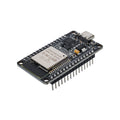
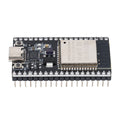
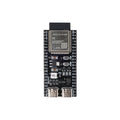
This guide covers the Kuongshun ESP32-CAM V2.0 with OV3660 camera shown below: a larger black board with a USB-C socket, CH340C USB-to-serial chip, BOOT and RESET buttons, and pre-soldered headers. The OV3660 is a 3-megapixel sensor with a maximum sensor resolution of 2048 × 1536. Actual capture resolution and streaming speed depend on the software, available memory, power, and Wi-Fi connection.
Start with the Arduino CameraWebServer walkthrough below to view the camera in a browser on your local network. USB-C supplies power and the serial connection for programming; camera video is sent over 2.4 GHz Wi-Fi. Bluetooth is a separate ESP32 capability and is not used by this example.
At a Glance
Board Photos and Connections

The photo shows the actual header labels; it is not a circuit schematic. Disconnect power before adjusting the camera ribbon or adding wiring. The camera ribbon must sit squarely in its connector with the latch closed.
| Connection or feature | Use |
|---|---|
| USB-C | Connect to a computer with a USB data cable for power, upload, and Serial Monitor. An external USB-to-serial adapter is not needed for this version. |
| CH340C | USB-to-serial interface. Use a CH340/CH341 serial driver if your operating system needs one. |
| BOOT / RESET | Use BOOT to enter download mode when necessary. RESET restarts the ESP32. |
| Camera | OV3660, maximum sensor resolution 2048 × 1536; supports compressed image output. |
| Wireless | ESP32 2.4 GHz 802.11 b/g/n Wi-Fi, Bluetooth Classic and BLE. The browser example uses Wi-Fi. |
| Power and GPIO | Use USB-C for the first setup. GPIO signals are 3.3 V; do not apply 5 V to a GPIO. Do not connect multiple power sources together. |
| Storage | No onboard microSD socket on the pictured V2.0 board. External card storage requires additional hardware and a separate wiring design. |
Quick Start: Camera Video in Your Browser
1. Prepare the board and software
- Use the ESP32-CAM board with its camera attached, a USB-C data cable, and a computer.
- Have a 2.4 GHz Wi-Fi network name and password ready. Use a network that allows devices to communicate with each other.
- Install Arduino IDE.
- Open Arduino IDE Settings/Preferences and add the address below to Additional Boards Manager URLs. Then open Boards Manager, search for esp32 by Espressif Systems, and select version 3.3.8 to follow the software version used for this walkthrough. The configured official example was compile-checked with that version; this documentation check did not include a physical-board test.
https://espressif.github.io/arduino-esp32/package_esp32_index.jsonSee Espressif's installation instructions for operating-system details.
2. Connect USB and select the board
Connect USB-C to your computer. In Tools → Port, select the port that appears when the board is plugged in. It may appear as a USB serial device without the camera board's name. If no new port appears, try another data cable and USB port, then check the official WCH driver for Windows or macOS. This board uses CH340C, not CP2102.
| Arduino setting | Starting configuration |
|---|---|
| Board | AI Thinker ESP32-CAM (in the esp32 package) |
| Upload settings | Leave the board profile defaults. In Arduino-ESP32 3.3.8 this profile uses 460800 baud and has no separate Upload Speed menu. |
| Partition Scheme | Huge APP (3MB No OTA/1MB SPIFFS), if the menu is shown. Keep all files supplied with the example together. |
| PSRAM | The AI Thinker board profile enables PSRAM support; it does not provide a separate PSRAM menu in the checked 3.3.x profile. |
| Serial Monitor | 115200 baud |
The Arduino board profile and the camera model selected in the sketch are separate settings. The next step sets the camera pin mapping. If your board revision differs from the photos or the camera cannot initialize, check its pin mapping before changing hardware connections.
3. Open the complete CameraWebServer example
Select File → Examples → ESP32 → Camera → CameraWebServer. Keep the complete example with all its tabs and supporting files. You do not need to install a separate camera library.
In the board_config.h tab, comment out the enabled CAMERA_MODEL_ESP_EYE line and uncomment CAMERA_MODEL_AI_THINKER. Leave every other CAMERA_MODEL_... option commented out. The relevant lines should look like this:
//#define CAMERA_MODEL_ESP_EYE
#define CAMERA_MODEL_AI_THINKER
These two lines are an edit inside the existing file, not a replacement for the whole sketch or header. In older releases the camera selection may be in the main sketch. The official AI Thinker camera mapping is the starting configuration used here; the OV3660 sensor model alone does not determine a board's wiring.
In CameraWebServer.ino, replace the existing Wi-Fi placeholders:
const char *ssid = "YOUR_2_4_GHZ_WIFI_NAME";
const char *password = "YOUR_WIFI_PASSWORD";
The official example detects supported camera sensors, including OV3660. Do not invent a separate CAMERA_MODEL_OV3660 board setting.
4. Upload and start the board
- Click Verify, then Upload. Close any other application using the serial port.
- If uploading stops at “Connecting” or reports a boot-mode error: hold BOOT, briefly press and release RESET while keeping BOOT held, and start/retry the upload. Release BOOT once writing begins.
- When the upload completes, release BOOT and press RESET to run the program.
- Open Serial Monitor at 115200 baud. Press RESET again if you missed the startup output.
5. Open the camera page
After connecting to Wi-Fi, the example prints a message like Camera Ready! Use 'http://192.168.1.123' to connect. Enter the actual address printed by your board into a browser on the same local network, then click Start Stream.
The example starts at QVGA to reduce memory and network load. Confirm video works before raising the resolution. Your computer or phone may use the router's 5 GHz band as long as it can reach the ESP32 on the same network. Guest-network isolation can prevent this.
GPIO, Lighting, and Storage Notes
Get the camera working before connecting extra modules. Exposed pins are not automatically free: camera signals, serial communication, boot configuration, and external RAM can share pins.
| Pin or feature | What to check |
|---|---|
| TXD / RXD (GPIO1 / GPIO3) | Used for upload and serial communication through the onboard USB-to-serial interface. Avoid attaching peripherals during setup. |
| GPIO0 | Used for boot selection and camera clock in the AI Thinker mapping. Do not treat it as a spare pin. |
| GPIO2 / GPIO12 / GPIO15 | Boot-strapping pins. External circuits can interfere with startup; GPIO12 pulled high at reset can select an incompatible flash voltage. |
| GPIO13 / GPIO14 | Exposed headers. Check the board schematic and the needs of any added peripherals before assigning them. |
| GPIO16 | Can be used by external PSRAM. Do not assume it is available for an I²C sensor while the camera uses PSRAM. |
| White illumination LED | The AI Thinker example defines its LED output on GPIO4. Confirm the board revision before using that mapping in a separate project. The LED circuit is not a general-purpose power output. |
| microSD | This pictured board has no card socket. Generic ESP32-CAM SD-card sketches do not add storage without the required external hardware. |
Troubleshooting
MicroPython and Other Projects
MicroPython camera support requires a firmware build that includes a camera driver and supports the exact sensor and board wiring. A generic ESP32 MicroPython image is not enough. The older LeMaRiva camera project documents OV2640-based hardware; do not assume its prebuilt firmware supports this OV3660 board.
For the first camera test, use the Arduino walkthrough above. Capturing an image and printing its byte count is a capture test, not an HTTP or WebSocket stream. An advanced MicroPython streaming project needs its own compatible firmware and server implementation.
Official References and Downloads
These references describe the software or individual components. They are not a Kuongshun V2.0 board schematic or an exact board datasheet.
- Espressif: install Arduino-ESP32
- Complete official CameraWebServer example (Arduino-ESP32 3.3.8)
- Espressif camera driver: supported sensors, OV3660 resolution, and memory requirements
- ESP32 chip datasheet (component reference, not the camera board)
- WCH USB serial driver for Windows · WCH USB serial driver for macOS
If you need help, send ShillehTek your board revision or a clear board photo, Arduino-ESP32 version, and the complete Serial Monitor error. That makes it possible to distinguish a configuration problem from a camera connection or power problem.