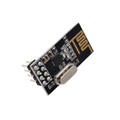
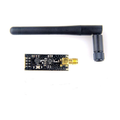
Overview
This 433 MHz RF link kit is the cheapest way to add wireless one-way data between two Arduinos (or any pair of microcontrollers). The kit includes a transmitter board (3 pins: VCC, DATA, GND) and a matching receiver board (4 pins: VCC, DATA, DATA, GND). With a small antenna wire and the RH_ASK or RadioHead library, you'll be sending bytes across a room (or up to 100m line-of-sight) in minutes.
The transmitter uses ASK (Amplitude Shift Keying) — a fancy way of saying it just turns the carrier on and off to encode 1s and 0s. The receiver listens for that pattern. Because it's unidirectional and unaddressed, you'll typically pair it with a small protocol library that handles framing, checksums, and addressing in software.
At a Glance
Specifications
| Parameter | Value |
| Operating Frequency | 433.92 MHz (typical) |
| Transmitter Voltage | 3V - 12V (more = more range) |
| Transmitter Current | ~9 mA @ 5V (transmitting) |
| Transmitter Power | Up to 25 mW @ 12V (~14 dBm) |
| Receiver Voltage | 5V (single rail) |
| Receiver Current | ~4 mA |
| Receiver Sensitivity | -105 dBm |
| Modulation | ASK / OOK (on-off keying) |
| Maximum Data Rate | 4.8 kbps (with RadioHead RH_ASK) |
| Range (no antenna) | ~3-10 m |
| Range (with 17 cm antenna) | ~20-100 m line-of-sight |
| TX Pins | VCC, DATA, GND (3 pins) |
| RX Pins | VCC, DATA, DATA (linked), GND (4 pins) |
Pinout Diagram
Wiring Guide
Transmitter on the Sending Arduino
The TX module accepts 3-12V on VCC. Higher voltage = longer range. From a 5V Arduino, expect ~20m without antenna. With a 12V external supply and a wire antenna, 100m is realistic.
| TX Pin | Arduino Pin |
|---|---|
| VCC | 5V (or 12V external for max range) |
| DATA | D12 (RadioHead default) |
| GND | GND |
Receiver on the Receiving Arduino
The RX module is 5V only. The two middle DATA pins are internally linked — connect either one to your input pin (or both for redundancy).
| RX Pin | Arduino Pin |
|---|---|
| VCC | 5V |
| DATA | D11 (RadioHead default) |
| DATA (linked) | (unused or also D11) |
| GND | GND |
Adding an Antenna
For 433 MHz, the optimal quarter-wave antenna is ~17.3 cm long. A simple straight wire works fine. Solder it to the antenna pad on each module.
| Type | Length | Range Estimate |
|---|---|---|
| None | — | 3-10 m |
| Single wire | 17.3 cm | 30-50 m |
| Helical coil | ~3 cm wound | 20-30 m |
| SMA + commercial 433 MHz | — | 100+ m |
Code Examples
Arduino TX — RadioHead RH_ASK
// 433 MHz Transmitter - Arduino
// Library: RadioHead by airspayce.com (Arduino Library Manager)

#include <RH_ASK.h>
#include <SPI.h>  // RadioHead requires SPI.h even when not using SPI

RH_ASK driver(2000, 11, 12);  // speed=2000bps, RX=D11(unused), TX=D12

void setup() {
  Serial.begin(9600);
  if (!driver.init())
    Serial.println("RH_ASK init failed");
}

void loop() {
  const char *msg = "Hello, world!";
  driver.send((uint8_t*)msg, strlen(msg));
  driver.waitPacketSent();
  Serial.println("Sent");
  delay(1000);
}
Arduino RX — RadioHead RH_ASK
// 433 MHz Receiver - Arduino
// Same library: RadioHead

#include <RH_ASK.h>
#include <SPI.h>

RH_ASK driver(2000, 11, 12);  // speed=2000bps, RX=D11, TX=D12(unused)

void setup() {
  Serial.begin(9600);
  if (!driver.init())
    Serial.println("RH_ASK init failed");
}

void loop() {
  uint8_t buf[RH_ASK_MAX_MESSAGE_LEN];
  uint8_t buflen = sizeof(buf);
  if (driver.recv(buf, &buflen)) {
    buf[buflen] = 0;
    Serial.print("Got: ");
    Serial.println((char*)buf);
  }
}
Raspberry Pi RX (Python — rpi-rf)
#!/usr/bin/env python3
# Install: pip install rpi-rf
# RX DATA -> GPIO 27 (Pin 13)

from rpi_rf import RFDevice
import time

rx = RFDevice(27)
rx.enable_rx()
last_ts = 0

print("Listening for 433MHz codes...")
try:
    while True:
        if rx.rx_code_timestamp != last_ts:
            last_ts = rx.rx_code_timestamp
            print(f"Code: {rx.rx_code}  pulse: {rx.rx_pulselength}us "
                  f"protocol: {rx.rx_proto}")
        time.sleep(0.01)
except KeyboardInterrupt:
    rx.cleanup()
Frequently Asked Questions
setThisAddress() and packet headers) to route messages to specific nodes.