

Project Overview
Arduino Uno + PCA9685 servo driver: In this guide, you will control multiple MG90S (or SG90) servo motors from an Arduino Uno using the PCA9685 16-channel PWM driver board for clean, scalable servo control over I2C.
If you want to run several servos at once, the PCA9685 is a much cleaner solution than trying to drive everything directly from the Arduino. It gives you up to 16 PWM outputs over I2C, which makes it great for robotics, moving mechanisms, servo arms, and multi-channel motion projects.
- Time: 30 to 60 minutes
- Skill level: Beginner to intermediate
- What you will build: An Arduino-based multi-servo setup using the PCA9685 PWM driver
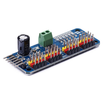
The PCA9685 is a 16-channel PWM driver that communicates over I2C. Instead of using up several Arduino pins to control servos one by one, you send commands to the PCA9685 and let it generate the PWM signals for you. This helps keep timing more consistent and frees up your Arduino for the rest of your logic.
Parts List
From ShillehTek
- PCA9685 16-Channel 12-Bit PWM Servo Motor Driver I2C for Arduino - the main board used to control multiple servos from a single Arduino over I2C
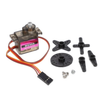
- MG90S Metal Gear 9g Micro Servo Motor - metal-gear servo used in this build (drop-in replacement for SG90)
- ShillehTek 120pcs 10cm Multicolored Jumper Wire - for connecting the Arduino, PCA9685, and servos
- ShillehTek 400-Point Breadboard (optional) - for a cleaner solderless setup
External
- Arduino Uno R3 - the microcontroller board used to send commands to the PCA9685
- 5V external power supply or adapter - recommended for powering multiple servos safely
Note: When working with multiple servos, do not power them all directly from the Arduino 5V pin. Use a stable external 5V supply and make sure all grounds are connected together.
Step-by-Step Guide
Step 1 - Understand basic servo wiring
Goal: Know what each servo wire does before adding the PCA9685.
What to do: A typical MG90S or SG90 servo has three wires:
- VCC - power
- GND - ground
- Signal - PWM control input
On a basic single-servo setup, the signal wire would go directly to an Arduino pin. In this project, the signal wire will instead connect to one of the PCA9685 output channels.
Expected result: You understand that the PCA9685 handles the PWM signal generation while the power and ground still need proper wiring.
Step 2 - Understand why the PCA9685 helps with multi-servo projects
Goal: Understand why using the PCA9685 is better than driving many servos directly from the Arduino.
What to do: Keep in mind that an Arduino Uno has limited pins and limited current available from its onboard 5V rail. Once you start adding several servos, direct control becomes messy and power problems can show up quickly.
The PCA9685 solves the signal side of the problem by giving you 16 independent PWM outputs controlled through I2C (using just SDA and SCL).

Expected result: You are ready to use the driver board as the center of your servo setup.
Step 3 - Wire the PCA9685 to the Arduino (I2C)
Goal: Connect the driver board to the Arduino so they can communicate over I2C.
What to do: Make the following connections:
- PCA9685 VCC to Arduino 5V
- PCA9685 GND to Arduino GND
- PCA9685 SDA to Arduino A4
- PCA9685 SCL to Arduino A5
If your servos are powered from an external 5V source, make sure the external power ground is tied to the Arduino ground as well.
Expected result: The Arduino can now talk to the PCA9685 over I2C.
Step 4 - Connect the servos to the PCA9685
Goal: Attach one or more MG90S (or SG90) servos to the output side of the PCA9685.
What to do: Plug each servo into one of the channel headers on the PCA9685 board. Make sure the servo connector orientation matches the board markings for signal, VCC, and GND.
Start with one servo first. Once that works, add more servos one at a time.

Expected result: Your servos are physically connected and ready to receive PWM signals from the PCA9685.
Step 5 - Install the required Arduino library
Goal: Add the library needed to communicate with the PCA9685 from the Arduino IDE.
What to do: In the Arduino IDE, install the Adafruit PWM Servo Driver Library. This gives you access to the functions needed to initialize the board and send PWM values to each channel.
Expected result: Your Arduino IDE is ready to compile and upload code for the PCA9685.
Step 6 - Set the servo frequency
Goal: Configure the PCA9685 to output the correct PWM frequency for standard hobby servos.
What to do: In your code, initialize the PCA9685 and set the PWM frequency to around 60Hz, which is commonly used for MG90S/SG90-style servos.
You will also define minimum and maximum pulse values that match your servo's travel range.
Expected result: The PCA9685 is configured with a servo-friendly PWM frequency.
Step 7 - Upload code to sweep the servos
Goal: Test motion by sweeping one or more servos from one angle to another.
What to do: Write or upload a sketch that uses the PCA9685 library and the setPWM() function to move the servo across its range, then back again.
Once one servo is working, you can repeat the same logic for multiple channels so they move together.
Code:
#include <Wire.h>
#include <Adafruit_PWMServoDriver.h>

Adafruit_PWMServoDriver pwm = Adafruit_PWMServoDriver();

#define SERVOMIN  150
#define SERVOMAX  600

void setup() {
  Serial.begin(9600);
  pwm.begin();
  pwm.setPWMFreq(60);
  delay(10);
}

void loop() {
  for (int pulse = SERVOMIN; pulse <= SERVOMAX; pulse++) {
    for (int channel = 0; channel < 8; channel++) {
      pwm.setPWM(channel, 0, pulse);
    }
    delay(10);
  }

  for (int pulse = SERVOMAX; pulse >= SERVOMIN; pulse--) {
    for (int channel = 0; channel < 8; channel++) {
      pwm.setPWM(channel, 0, pulse);
    }
    delay(10);
  }
}
Expected result: Your servos should sweep in one direction and then return smoothly.
Step 8 - Verify power and signal basics for stable motion
Goal: Confirm stable multi-servo movement when scaling beyond one servo.
What to do: Before adding many servos, verify these basics:
- Power servos from a proper external 5V supply (not the Arduino 5V pin)
- Make sure all grounds are shared (external supply ground and Arduino ground)
- Double-check SDA and SCL wiring
- Verify the library is installed correctly
- Start with one servo before connecting many at once
Expected result: You get reliable multi-servo control without brownouts or unstable behavior.
Conclusion
You built a cleaner way to control multiple MG90S (or SG90) servo motors from an Arduino Uno using the PCA9685 PWM driver. By offloading PWM generation to the PCA9685 over I2C, you can scale up to more channels with simpler wiring and more consistent timing.
Want the exact parts used in this build? Grab the PCA9685, MG90S servos, jumper wires, and breadboard from ShillehTek.com. If you want help customizing this project or building something for your product, check out our IoT consulting services.




.png?v=25000753014097803521791168436)

.png?v=68677308723310773341791168436)


