Overview
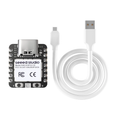
The Seeed Studio XIAO nRF52840 is a tiny BLE-first dev board built around Nordic's flagship nRF52840 — an ARM Cortex-M4F SoC with built-in Bluetooth 5.0 LE, Bluetooth Mesh, Thread 1.2, and Zigbee 3.0. It's the wireless choice when you don't need Wi-Fi, but you do need rock-solid BLE, multi-protocol radios, and ultra-low-power deep-sleep currents that are practically zero.
Like every XIAO, the form factor is 21 × 17.5 mm. You get 11 GPIOs, 6 ADC channels, hardware I2C, SPI, UART, and a USB-C connector that natively appears as a Serial port and a CMSIS-DAP debug probe. There's no separate programmer needed — flashing happens over USB.
The nRF52840 is a favorite for wearables, BLE peripherals, sensor tags, and any battery-powered device that needs to run for months on a coin cell. It's also a strong base for Matter-over-Thread accessories alongside a Thread border router. Program it with the Arduino IDE (Seeed nRF52 mbed-enabled core), CircuitPython, MicroPython, or the Nordic Connect SDK.
At a Glance
Specifications
| Parameter | Value |
| Microcontroller | Nordic nRF52840 (Cortex-M4F with FPU) |
| Maximum Clock | 64 MHz |
| Flash Memory | 1 MB internal + 2 MB external QSPI flash |
| RAM | 256 KB |
| Bluetooth | BLE 5.0 + Bluetooth Mesh + 2 Mbps |
| Other Radios | Thread 1.2, Zigbee 3.0, ANT, IEEE 802.15.4 |
| USB | USB-C, native USB 2.0 Full-Speed |
| GPIO | 11 pins (D0-D10) |
| Analog Input | 6 channels (A0-A5), 12-bit SAADC |
| I2C | SDA=D4 (P0.04), SCL=D5 (P0.05) |
| SPI | SCK=D8 (P1.13), MISO=D9 (P1.14), MOSI=D10 (P1.15) |
| UART | TX=D6 (P1.11), RX=D7 (P1.12) |
| Power Input | 5V via USB-C, or 3.7V LiPo via solder pads |
| Sleep Current | ~5 µA in System OFF mode |
| Antenna | On-board PCB |
| Dimensions | 21 × 17.5 mm |
Pinout Diagram

Wiring Guide
Power and Programming
USB-C provides 5V power and acts as a native USB Serial port + DAPLink-compatible debug probe. A 3.7V LiPo cell can be soldered to the BAT pads on the back; the on-board charger handles charging from USB-C.
| Pin | Function | Notes |
|---|---|---|
| USB-C | 5V power + flash + debug | Drag-and-drop UF2 flashing in bootloader mode |
| 5V | +5V input/output | Pass-through from USB-C |
| 3V3 | 3.3V regulator output | ~150 mA available |
| GND | Ground | |
| BAT pads | 3.7V LiPo input | On-board charging from USB-C |
External LED + Button
The XIAO nRF52840 has an on-board RGB LED on dedicated pins (LED_RED on P0.26, LED_GREEN on P0.30, LED_BLUE on P0.06 — all active low). For external indicators, any free GPIO works.
| Component | XIAO Pin | Details |
|---|---|---|
| External LED + 220Ω → GND | D0 (P0.02) | Anode to GPIO, cathode to GND through resistor |
| Button → GND | D1 (P0.03) | Use INPUT_PULLUP |
| RGB LED Red | P0.26 (built-in) | Active LOW |
| RGB LED Green | P0.30 (built-in) | Active LOW |
| RGB LED Blue | P0.06 (built-in) | Active LOW |
I2C Devices
I2C uses D4 (SDA, P0.04) and D5 (SCL, P0.05). The Arduino "Wire" library on the Seeed nRF52 core picks these up automatically.
| Sensor Pin | XIAO nRF52840 Pin |
|---|---|
| VCC | 3V3 |
| GND | GND |
| SDA | D4 (P0.04) |
| SCL | D5 (P0.05) |
SPI Devices
SPI is on D8 (SCK, P1.13), D9 (MISO, P1.14), and D10 (MOSI, P1.15). Use any free GPIO for chip-select.
| SPI Signal | XIAO Pin | Port Pin |
|---|---|---|
| SCK | D8 | P1.13 |
| MISO | D9 | P1.14 |
| MOSI | D10 | P1.15 |
| CS | D7 | P1.12 (or any free GPIO) |
UART / Serial
D6 is TX (P1.11) and D7 is RX (P1.12) for Serial1. The USB-C port acts as Serial for the Arduino IDE Serial Monitor.
| UART Signal | XIAO Pin | Port Pin |
|---|---|---|
| TX (Serial1) | D6 | P1.11 |
| RX (Serial1) | D7 | P1.12 |
| Serial Monitor | USB-C | Native USB CDC |
Code Examples
Arduino — Built-in RGB LED Cycle
// XIAO nRF52840 - Cycle the on-board RGB LED
// LEDs are active LOW (HIGH = off, LOW = on).
// Board: "Seeed XIAO nRF52840" (Seeed nRF52 mbed-enabled core)

#define LED_R LED_BUILTIN  // RED  (P0.26)
#define LED_G LED_GREEN    // GREEN (P0.30)
#define LED_B LED_BLUE     // BLUE  (P0.06)

void setup() {
  pinMode(LED_R, OUTPUT);
  pinMode(LED_G, OUTPUT);
  pinMode(LED_B, OUTPUT);
}

void all_off() {
  digitalWrite(LED_R, HIGH);
  digitalWrite(LED_G, HIGH);
  digitalWrite(LED_B, HIGH);
}

void loop() {
  all_off(); digitalWrite(LED_R, LOW); delay(400);
  all_off(); digitalWrite(LED_G, LOW); delay(400);
  all_off(); digitalWrite(LED_B, LOW); delay(400);
}
Arduino — BLE Peripheral (Battery Service)
// XIAO nRF52840 - BLE peripheral advertising a Battery service
// Library: ArduinoBLE (Library Manager). Connect with nRF Connect on your phone.

#include <ArduinoBLE.h>

BLEService batteryService("180F");
BLEUnsignedCharCharacteristic batteryLevel("2A19", BLERead | BLENotify);

void setup() {
  Serial.begin(115200);
  while (!Serial && millis() < 3000) {}

  if (!BLE.begin()) {
    Serial.println("BLE init failed!");
    while (1) {}
  }

  BLE.setLocalName("ShillehTek-XIAO");
  BLE.setAdvertisedService(batteryService);
  batteryService.addCharacteristic(batteryLevel);
  BLE.addService(batteryService);
  batteryLevel.writeValue(100);

  BLE.advertise();
  Serial.println("Advertising as ShillehTek-XIAO");
}

void loop() {
  BLE.poll();

  static uint8_t level = 100;
  static unsigned long t = 0;
  if (millis() - t > 5000) {
    t = millis();
    level = (level > 0) ? level - 1 : 100;
    batteryLevel.writeValue(level);
    Serial.print("Battery: "); Serial.println(level);
  }
}
Arduino — Read Analog Sensor on A0
// XIAO nRF52840 - Read 12-bit analog on A0 (P0.02)
// Default reference is internal 0.6V * 6 = 3.6V; analogRead returns 0-4095.

void setup() {
  Serial.begin(115200);
  analogReadResolution(12);
}

void loop() {
  int raw = analogRead(A0);
  float volts = raw * (3.3f / 4095.0f);
  Serial.print(raw);
  Serial.print(" -> ");
  Serial.print(volts, 3);
  Serial.println(" V");
  delay(500);
}
CircuitPython — Hello World
# XIAO nRF52840 - CircuitPython Hello World
# Flash the official Adafruit CircuitPython UF2 for "Seeed XIAO nRF52840"
# (or "Seeed XIAO nRF52840 Sense" if you have the Sense version),
# then drop this as code.py on the CIRCUITPY drive.

import board
import digitalio
import time

red = digitalio.DigitalInOut(board.LED_RED)
red.direction = digitalio.Direction.OUTPUT

while True:
    red.value = False   # Active LOW: False = on
    time.sleep(0.25)
    red.value = True    # off
    time.sleep(0.25)