Overview
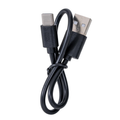
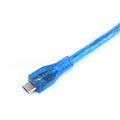
The classic USB Type-A to Type-B "printer cable" — the cable you use with the original Arduino Uno R3, Mega 2560, Raspberry Pi Pico W with carrier boards, USB MIDI devices, audio interfaces, scanners, and most desktop printers. The square Type-B connector at one end snaps positively into the device, and the standard USB-A end plugs into your computer or USB hub. At 0.5 m (1.64 ft), this is a short, tidy cable that's perfect for keeping a development board on the bench right next to the laptop without 1.5 m of slack to manage.
The cable supports USB 2.0 Hi-Speed, so anything from a 480 Mbps audio interface down to a 9600-baud Arduino sketch upload runs across it without issue. Foil + braid shielding keeps EMI low for clean serial communication and audio passthrough.
At a Glance
Specifications
| Parameter | Value |
| Cable Length | 0.5 m / 1.64 ft |
| Connector A | USB Type-A male |
| Connector B | USB Type-B male (square, used on printers / Arduino Uno) |
| USB Standard | USB 2.0 |
| Maximum Data Rate | 480 Mbps (Hi-Speed) |
| Power Rating | 5V from USB host, ~500 mA |
| Conductor | Tinned copper |
| Shielding | Foil + braid |
| Jacket | PVC |
| Operating Temperature | -20°C to +60°C |
Use Cases & Compatibility
The Type-B square connector hasn't been used on phones or tablets for a decade, but it's still standard on a surprising number of devices — especially Arduino boards. If your device has a recessed square port, this is the cable you need.
| Device | Notes |
|---|---|
| Arduino Uno R3 | Power + program over the same cable. Standard pairing. |
| Arduino Mega 2560 | Same connector as Uno R3. |
| Arduino Uno R4 (original) | R4 Minima & R4 WiFi use USB-C; only the original / R3 needs this cable. |
| Desktop printers (HP, Brother, Canon) | The classic "printer USB" port. |
| USB MIDI keyboards / pianos | Many MIDI controllers use Type-B for the host connection. |
| Audio interfaces (Focusrite Scarlett 2i2 Gen 1/2) | Older audio-interface generations use Type-B. |
| Flatbed scanners | Standard host-side connector. |
| Some industrial / lab equipment | Oscilloscopes, multimeters, programmable PSUs often use Type-B. |