Overview
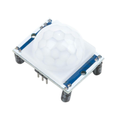
The RCWL-0516 is a tiny, dirt-cheap microwave Doppler radar motion sensor that has become a staple of hobbyist projects since it first appeared in 2017. Unlike PIR sensors (which detect infrared heat changes) and unlike mmWave presence sensors (which use 24GHz radar to detect breathing), the RCWL-0516 uses ~3.18GHz microwave Doppler — it sends out a low-power microwave signal and looks for frequency shifts in the reflection. A frequency shift means something moved. That's it.
The board exposes a single digital OUT pin that goes HIGH when motion is detected and stays HIGH for about 2 seconds (configurable with one resistor) before returning to LOW. There is no UART, no I2C, no protocol — just digitalRead. That makes it the easiest motion sensor to integrate: drop a 1-line interrupt or polling loop into any microcontroller and you're done.
Because microwaves penetrate plastic, drywall, glass, and cardboard, the RCWL-0516 works inside enclosures and even behind walls. It's also immune to temperature, sunlight, and dust — common PIR failure modes. Tradeoffs: it cannot distinguish humans from pets or fans, it can't measure distance, and it can't tell whether someone is sitting still. For binary "did something move?" detection, though, very little else competes on price.
At a Glance
Specifications
| Parameter | Value |
| Operating Voltage (VIN) | 4 – 28 V DC |
| Quiescent Current | ~3 mA |
| Transmit Frequency | ~3.18 GHz |
| Transmit Power | ~20 mW (typical) |
| Detection Range | 5 – 9 m (varies by target size) |
| Detection Angle | ~360° (omnidirectional radial) |
| Output Type | Active-HIGH digital (CMOS) |
| Output Voltage | 3.0 – 3.3 V HIGH, 0 V LOW |
| Output Hold Time | ~2 s default (set by C-TM cap, R-GN resistor) |
| Onboard Regulator | 3.3V output available on 3V3 pad (≤100 mA) |
| CDS Input | Disables output when light sensor pulls pin low |
| Operating Temperature | -20°C to +80°C |
Pinout Diagram

Wiring Guide
Arduino Wiring
Power VIN directly from the Arduino's 5V pin — it's well inside the 4–28V range. The OUT pin's 3.3V HIGH level is comfortably above the Uno's 2V HIGH threshold, so connect it straight to any digital input. We'll use D2 because it supports external interrupts for clean event-driven code.
| Sensor Pin | Arduino Uno Pin |
|---|---|
| VIN | 5V |
| GND | GND |
| OUT | D2 (INT0) |
| 3V3 | Not connected |
| CDS | Not connected |
ESP32 Wiring
Power VIN from the ESP32's 5V/VIN pin. OUT's 3.3V level is a perfect match for ESP32 GPIO. GPIO13 is a safe general-purpose pin; any input-capable GPIO will work.
| Sensor Pin | ESP32 Pin |
|---|---|
| VIN | 5V / VIN |
| GND | GND |
| OUT | GPIO13 |
| 3V3 | Not connected |
| CDS | Optional — photoresistor to GND |
Raspberry Pi Wiring
Power VIN from the Pi's 5V rail. OUT is 3.3V, which is exactly what the Pi's GPIO expects. We'll use GPIO17 (header pin 11) as the input.
| Sensor Pin | Raspberry Pi Pin |
|---|---|
| VIN | Pin 2 (5V) |
| GND | Pin 6 (GND) |
| OUT | Pin 11 (GPIO17) |
| 3V3 | Not connected |
| CDS | Not connected |
Raspberry Pi Pico Wiring
Power VIN from VBUS (Pin 40) when USB-powered, or VSYS (Pin 39) when running from a battery between 1.8–5.5V. OUT's 3.3V signal connects directly to any Pico GPIO — we'll use GP15.
| Sensor Pin | Pico Pin |
|---|---|
| VIN | VBUS (Pin 40) or VSYS (Pin 39) |
| GND | GND (Pin 38) |
| OUT | GP15 (Pin 20) |
| 3V3 | Not connected |
| CDS | Optional — photoresistor to GND |
Code Examples
Arduino
// RCWL-0516 motion sensor on Arduino Uno
// OUT pin -> D2 (INT0)

const uint8_t SENSOR_PIN = 2;
const uint8_t LED_PIN    = 13;

volatile bool motionFlag = false;

void onMotion() {
  motionFlag = true;
}

void setup() {
  Serial.begin(115200);
  pinMode(SENSOR_PIN, INPUT);
  pinMode(LED_PIN, OUTPUT);
  attachInterrupt(digitalPinToInterrupt(SENSOR_PIN), onMotion, RISING);
  Serial.println("RCWL-0516 ready");
}

void loop() {
  if (motionFlag) {
    motionFlag = false;
    Serial.println("Motion detected!");
  }

  // Mirror current state to onboard LED
  digitalWrite(LED_PIN, digitalRead(SENSOR_PIN));
  delay(50);
}
ESP32
// RCWL-0516 motion sensor on ESP32
// OUT pin -> GPIO13

const uint8_t SENSOR_PIN = 13;
const uint8_t LED_PIN    = 2;

volatile bool motionFlag = false;
unsigned long lastEventMs = 0;

void IRAM_ATTR onMotion() {
  motionFlag = true;
}

void setup() {
  Serial.begin(115200);
  pinMode(SENSOR_PIN, INPUT);
  pinMode(LED_PIN, OUTPUT);
  attachInterrupt(SENSOR_PIN, onMotion, RISING);
  Serial.println("RCWL-0516 on ESP32 ready");
}

void loop() {
  if (motionFlag) {
    motionFlag = false;
    lastEventMs = millis();
    Serial.printf("[%lu ms] Motion detected\n", lastEventMs);
  }

  digitalWrite(LED_PIN, digitalRead(SENSOR_PIN));
  delay(20);
}
Raspberry Pi (Python)
import RPi.GPIO as GPIO
import time
from datetime import datetime

SENSOR_PIN = 17

GPIO.setmode(GPIO.BCM)
GPIO.setup(SENSOR_PIN, GPIO.IN)

def on_motion(channel):
    print(f"[{datetime.now().isoformat(timespec='seconds')}] Motion detected")

GPIO.add_event_detect(SENSOR_PIN, GPIO.RISING, callback=on_motion, bouncetime=200)

print("RCWL-0516 reader started. Ctrl-C to exit.")
try:
    while True:
        time.sleep(1)
except KeyboardInterrupt:
    pass
finally:
    GPIO.cleanup()
Raspberry Pi Pico (MicroPython)
from machine import Pin
import time

sensor = Pin(15, Pin.IN)
led    = Pin(25, Pin.OUT)   # onboard LED

motion_count = 0

def on_motion(pin):
    global motion_count
    motion_count += 1
    print("Motion #%d" % motion_count)

sensor.irq(trigger=Pin.IRQ_RISING, handler=on_motion)

print("RCWL-0516 on Pico ready")
while True:
    led.value(sensor.value())  # Mirror state to onboard LED
    time.sleep_ms(50)