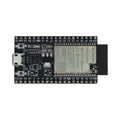
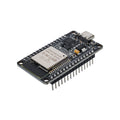
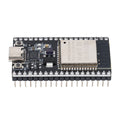
Overview
The Mini USB Host Shield is a compact 5V tolerant breakout for the MAX3421E — a USB host controller chip that lets a microcontroller act as the "host" side of a USB connection. Plug a USB device (keyboard, mouse, gamepad, barcode scanner, ADK Android phone, etc.) into the on-board Type-A jack and your MCU can read keystrokes, joystick reports, or whatever the device sends over USB, even if the MCU itself has no native USB host hardware.
The board is sized to sit on top of an Arduino Pro Mini, but it works equally well wired up to any 5V Arduino, ESP32 (with level shifting), or STM32. It speaks SPI to the host MCU and exposes the four standard SPI lines plus SS, INT, RESET, and a few optional GPIO pads (GPIN/GPOUT 7654/3210) for peripheral I/O on the MAX3421E itself.
The most common application is the Arduino USB Host Shield Library by felis (also known as "USB Host Shield 2.0"), which provides drivers for HID keyboards/mice, PS3/PS4/Xbox One controllers, MIDI devices, FTDI/CDC serial adapters, mass-storage thumb drives, and Android phones in ADK mode.
At a Glance
Specifications
| Parameter | Value |
| Controller IC | MAX3421E (USB host / peripheral) |
| Operating Voltage | 5V (Vbus); logic levels 3.3V (level shifters present) |
| USB Standard | USB 2.0 Full Speed (12 Mbps) and Low Speed (1.5 Mbps) |
| Host Interface | SPI, up to 26 MHz |
| Required Pins | MOSI, MISO, SCK, SS (D10), INT (D9), 5V, GND |
| VBUS Output to USB Device | 5V at up to 500 mA (limited by upstream supply) |
| GPIO on MAX3421E | 8 x GPIN, 8 x GPOUT (broken out as GPIN/GPOUT 7654/3210) |
| USB Connector | Type-A (host) |
| Operating Temperature | 0 degC to +70 degC |
| Dimensions | ~38 x 23 mm (Pro Mini compatible) |
Pinout Diagram

Wiring Guide
Arduino UNO / Pro Mini Wiring
The board is designed for an Arduino Pro Mini stack — power its RAW pin from 5V and the SPI pins line up directly. On a UNO, wire SPI to D11/D12/D13 and use D10 for SS, D9 for INT.
| Shield Pin | Arduino UNO Pin |
|---|---|
| RAW | 5V (or VIN if >5V regulated supply) |
| GND | GND |
| 3.3V | (no connection — generated on-board) |
| MOSI | D11 (MOSI) |
| MISO | D12 (MISO) |
| SCK | D13 (SCK) |
| SS (D10) | D10 |
| INT (D9) | D9 |
| RESET | RESET (optional, tied for safe reset) |
ESP32 Wiring
The ESP32 is 3.3V logic, but the MAX3421E mini has on-board level shifters and works fine driven from 3.3V signals. Power the RAW pin from a clean 5V source so VBUS to the USB device is correct.
| Shield Pin | ESP32 Pin |
|---|---|
| RAW | 5V (USB / VIN) |
| GND | GND |
| MOSI | GPIO 23 |
| MISO | GPIO 19 |
| SCK | GPIO 18 |
| SS (D10) | GPIO 5 |
| INT (D9) | GPIO 17 |
Raspberry Pi (using Pi as SPI host)
You usually don't need this shield on a full Raspberry Pi — the Pi already has native USB host. But if you want the MAX3421E on Pi (e.g., for embedded Linux USB host on a custom port), it can be driven via the kernel's MAX3421E driver over SPI.
| Shield Pin | Raspberry Pi Pin (BCM) |
|---|---|
| RAW | Pin 2 (5V) |
| GND | Pin 6 (GND) |
| MOSI | Pin 19 (GPIO 10) |
| MISO | Pin 21 (GPIO 9) |
| SCK | Pin 23 (GPIO 11) |
| SS (D10) | Pin 24 (GPIO 8 / CE0) |
| INT (D9) | Pin 22 (GPIO 25) |
Raspberry Pi Pico Wiring
The Pico has native USB but only as device by default. You can pair it with the MAX3421E to add a second host port, or use TinyUSB's host mode if your firmware supports it.
| Shield Pin | Pico Pin |
|---|---|
| RAW | VBUS (or external 5V) |
| GND | GND |
| MOSI | GP19 (SPI0 TX) |
| MISO | GP16 (SPI0 RX) |
| SCK | GP18 (SPI0 SCK) |
| SS (D10) | GP17 |
| INT (D9) | GP20 |
Code Examples
Arduino - Detect USB Device (USB_desc example)
// Install "USB Host Shield Library 2.0" by felis
// File > Examples > USB Host Shield Library 2.0 > USB_desc

#include <usbhub.h>

USB     Usb;
USBHub  Hub(&Usb);

void setup() {
  Serial.begin(115200);
  while (!Serial);
  if (Usb.Init() == -1) {
    Serial.println("MAX3421E NOT FOUND - check wiring");
    while (1);
  }
  Serial.println("USB Host ready. Plug in a device...");
}

void loop() {
  Usb.Task();
}
Arduino - Read a USB Keyboard
#include <hidboot.h>
#include <usbhub.h>

class KbdRptParser : public KeyboardReportParser {
  void OnKeyDown(uint8_t mod, uint8_t key) override {
    uint8_t c = OemToAscii(mod, key);
    if (c) Serial.write(c);
  }
};

USB              Usb;
USBHub           Hub(&Usb);
HIDBoot<USB_HID_PROTOCOL_KEYBOARD> Keyboard(&Usb);
KbdRptParser     Prs;

void setup() {
  Serial.begin(115200);
  if (Usb.Init() == -1) { Serial.println("Init failed"); while (1); }
  delay(200);
  Keyboard.SetReportParser(0, &Prs);
}

void loop() {
  Usb.Task();
}
Arduino - Read a PS3 / PS4 Gamepad
// Bluetooth via the same library, or wired USB.
// This sketch shows wired PS4 over USB.

#include <PS4USB.h>

USB     Usb;
PS4USB  PS4(&Usb);

void setup() {
  Serial.begin(115200);
  if (Usb.Init() == -1) { Serial.println("Init failed"); while (1); }
}

void loop() {
  Usb.Task();
  if (PS4.connected()) {
    Serial.print("LX="); Serial.print(PS4.getAnalogHat(LeftHatX));
    Serial.print(" LY="); Serial.print(PS4.getAnalogHat(LeftHatY));
    Serial.print(" X="); Serial.println(PS4.getButtonClick(CROSS));
  }
}
Frequently Asked Questions
UsbCore.h); (3) the board is getting clean 5V on RAW; (4) the on-board 12 MHz crystal isn't damaged. A working board reports a non-zero revision in the USB_desc example.USBHub. Declare a USBHub Hub(&Usb); in your sketch and the library will enumerate downstream devices through a powered hub. Make sure the hub is self-powered if you're attaching multiple high-current devices, otherwise total VBUS current will exceed the MAX3421E's 500 mA limit.