Overview
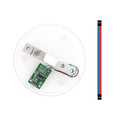
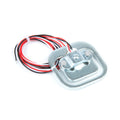
The YZC-131 is a 5kg straight-bar load cell, the strain-gauge sensor at the heart of digital kitchen and hobby scales. As weight bends the aluminum bar, its internal strain gauges change resistance by a tiny amount. That signal is far too small to read directly, so it pairs with an HX711 24-bit amplifier that an Arduino, ESP32, or Raspberry Pi can read.
It comes with four color-coded wires and is ideal for building scales, force gauges, filament counters, and any project that needs to measure weight up to about 5kg.
At a Glance
Capacity
5 kg
Type
Bar strain gauge
Output
~1.0 mV/V
Amplifier
HX711 required
Wires
4 (full bridge)
Material
Aluminum alloy
Specifications
| Parameter | Value |
| Rated Capacity | 5 kg |
| Output Sensitivity | ~1.0 +/- 0.15 mV/V |
| Excitation Voltage | 3 - 5V (from HX711) |
| Wire Colors | Red E+, Black E-, Green S+, White S- |
| Bridge | Full Wheatstone bridge |
| Required Amplifier | HX711 24-bit ADC |
| Nonlinearity | ~0.05% FS |
Wiring Guide
Load Cell to HX711
Connect the four load-cell wires to the HX711 bridge inputs by color.
| Load Cell Wire | HX711 Pad |
|---|---|
| Red | E+ |
| Black | E- |
| Green | A+ (S+) |
| White | A- (S-) |
Tip: Bolt the fixed end of the bar to a solid base and load the other (arrow) end. The bar must be able to flex, or it will not read.
HX711 to Arduino / ESP32
| HX711 Pin | Board |
|---|---|
| VCC | 5V (3.3V on ESP32) |
| GND | GND |
| DT (DOUT) | D2 |
| SCK | D3 |
Note: The HX711 is digital, so any GPIO pins work. Keep load-cell wires short and away from noise for stable readings.
Code Examples
Arduino (HX711 library)
scale.ino
#include "HX711.h"

HX711 scale;
const int DT = 2, SCK = 3;

void setup() {
  Serial.begin(9600);
  scale.begin(DT, SCK);
  scale.set_scale(420.0);  // calibrate: see FAQ
  scale.tare();            // zero with no load
}

void loop() {
  Serial.println(scale.get_units(5), 1);  // grams
  delay(500);
}
Frequently Asked Questions
Do I need anything besides the load cell?
Yes, an HX711 amplifier module. The load cell's signal is only millivolts and must be amplified and digitized by the HX711 before a microcontroller can read it.
How do I calibrate it?
Place a known weight, read the raw value, and divide to find the scale factor you pass to set_scale(). Adjust until a known mass reads correctly, then tare for zero.
Which way do I mount the bar?
Fix one end to a rigid base and apply load to the opposite end so the bar can bend slightly. The arrow on the cell shows the direction of force.
My readings drift, why?
Drift comes from temperature changes, loose mounting, or long noisy wires. Let it warm up, mount it solidly, average several samples, and re-tare before each session.
Can I use it with ESP32 or Raspberry Pi?
Yes. The HX711 works with any of them. On ESP32 power it from 3.3V; on Raspberry Pi use an HX711 Python library with two GPIO pins.