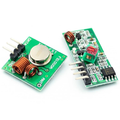
HX1838 Infrared IR Remote Control Module Kit with BatteryDefault Title · $4.99 · In stock
Overview
The HX1838 is a 38 kHz infrared remote control kit that gives any microcontroller "TV remote" capabilities — receive button presses from across the room, decode them in software, and trigger any action you want. The kit includes a 17-key NEC-protocol remote, an HX1838 IR receiver module, three jumper wires, and a 5mm IR LED you can use for transmitting back.
The receiver module has just three pins (VCC, GND, OUT) and works on 3.3V or 5V — ideal for Arduino, ESP32, Raspberry Pi, and Pico. The output is an active-LOW digital signal that pulses in NEC protocol patterns; libraries like IRremote decode the patterns into 32-bit hex codes you can match in your sketch.
At a Glance
Operating Voltage
2.7 - 5.5V
Carrier Frequency
38 kHz
Protocol
NEC
Range
~8 meters (line-of-sight)
Receiver Pins
VCC, GND, OUT
Remote Buttons
17 (digits + nav + OK)
Specifications
Parameter
Value
Receiver IC
HX1838 / VS1838B (compatible variants)
Operating Voltage
2.7V - 5.5V
Operating Current
~1.5 mA (idle)
Carrier Frequency
38 kHz
Sensitivity
0.35 mW/m²
Reception Distance
~8 meters (line-of-sight)
Reception Angle
±45°
Output
Active-LOW digital pulse train
Protocol
NEC (32-bit codes, 8-bit address + 8-bit command)
Remote Type
17-key infrared remote, CR2025 battery (included)
Remote Buttons
0-9, *, #, OK, ↑ ↓ ← →
Receiver Dimensions
~17 × 9 mm
Pinout Diagram
Wiring Guide
Arduino Wiring
Three wires — VCC, GND, and the OUT signal. Use any digital pin that supports interrupts (D2 or D3 on UNO) so the IRremote library can react quickly.
Receiver Pin
Arduino Pin
VCC
5V
GND
GND
OUT (S)
D2 (or any digital pin)
Tip: The receiver pin labeled "S" or "OUT" is sometimes hard to identify. Look for the metal-domed face of the IR receiver — the pin closest to the LED indicator usually goes to OUT. Test with a multimeter (idle HIGH).
ESP32 Wiring
Receiver Pin
ESP32 Pin
VCC
3V3 or 5V (both work)
GND
GND
OUT
GPIO 15 (or any input GPIO)
Raspberry Pi Wiring
The receiver works at 3.3V — wire OUT directly to a Pi GPIO. For best results, use the LIRC kernel driver or the pigpio Python bindings.
Receiver Pin
Raspberry Pi Pin
VCC
Pin 1 (3.3V)
GND
Pin 6 (GND)
OUT
Pin 11 (GPIO 17)
Raspberry Pi Pico Wiring
Receiver Pin
Pico Pin
VCC
3V3 (OUT)
GND
GND
OUT
GP15 (or any input GPIO)
Code Examples
Arduino — Decode Remote Buttons
ir_remote.ino
// HX1838 IR Remote - Arduino Example
// Library: IRremote by shirriff (v3+ syntax)

#include <IRremote.hpp>

const int IR_PIN = 2;

void setup() {
  Serial.begin(9600);
  IrReceiver.begin(IR_PIN, ENABLE_LED_FEEDBACK);
  Serial.println("Press a button...");
}

void loop() {
  if (IrReceiver.decode()) {
    Serial.print("Code: 0x");
    Serial.println(IrReceiver.decodedIRData.command, HEX);
    IrReceiver.resume();  // ready for next code
  }
}
Arduino — Map Codes to Actions
ir_actions.ino
// React to specific buttons. Run the previous sketch first
// to learn each button's hex code, then fill in below.

#include <IRremote.hpp>

const int IR_PIN = 2;
const int LED_PIN = 13;

void setup() {
  pinMode(LED_PIN, OUTPUT);
  IrReceiver.begin(IR_PIN);
}

void loop() {
  if (IrReceiver.decode()) {
    switch (IrReceiver.decodedIRData.command) {
      case 0x46: digitalWrite(LED_PIN, HIGH); break;  // UP
      case 0x15: digitalWrite(LED_PIN, LOW); break;   // DOWN
      case 0x40: /* OK button */ break;
    }
    IrReceiver.resume();
  }
}
# IR receiver on Pico - MicroPython
# Use the micropython-ir library by peterhinch
# https://github.com/peterhinch/micropython_ir

from machine import Pin
from ir_rx.nec import NEC_8

def callback(data, addr, ctrl):
    if data > 0:
        print('Code: 0x{:02X}  Addr: 0x{:04X}'.format(data, addr))

ir = NEC_8(Pin(15, Pin.IN), callback)
print("Press buttons...")
while True:
    pass
Frequently Asked Questions
My remote isn't doing anything. What's wrong?
Three things to check: (1) the small CR2025 battery — peel off the plastic insulator tab if you haven't, (2) the receiver wiring — VCC and GND swapped is the most common mistake, (3) point the remote at the receiver's metal-domed face from no more than 1m away while testing.
Why do I get the same hex code for different buttons?
If you're seeing 0xFFFFFFFF, that's a "repeat" code (NEC protocol sends repeats while a button is held). Filter those out by ignoring 0xFFFFFFFF and 0xFFFFFFFE in your switch statement.
Can I use any TV remote with this receiver?
Most modern TV remotes use NEC, RC5, RC6, or Sony SIRC protocols at 38 kHz — all of which the IRremote library can decode. Just call IrReceiver.printIRResultShort() to see what protocol your remote uses.
How do I make my Arduino TRANSMIT IR codes (e.g., to control a TV)?
Connect the included 5mm IR LED to a digital PWM pin (D3 on UNO) through a 220Ω resistor and use the IRremote library's IrSender.sendNEC(). The same library handles both receive and send.
Is the IR signal blocked by furniture or walls?
Yes. IR is line-of-sight only. It also fails through smoked glass and gets confused by direct sunlight or heavy fluorescent flicker. Mount the receiver where it has clear line-of-sight to the user.
Can I run multiple IR receivers in the same room?
Yes. Each microcontroller decodes the same NEC pulses independently — the IR signal is broadcast. If you want different remotes controlling different boards, use remotes with different address bytes and filter by address in software.
Datasheets & downloads
Reference documents for the HX1838 Infrared IR Remote Control Module Kit with Battery. This manual covers wiring and code; the documents below carry the full electrical specifications.