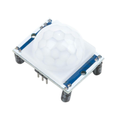
Overview
The HLK-LD2450 is a 24GHz mmWave radar that does something most low-cost presence sensors can't: it gives you actual X/Y coordinates, speed, and distance for up to three humans at once. Instead of a binary "someone is here" signal, you get tracked target positions in millimeters, updated 10 times per second over UART.
The module uses FMCW radar with multiple receive antennas to triangulate position in a roughly ±60deg field of view, with usable range out to about 6 meters. Because it streams structured binary frames, parsing is straightforward in any language - the data is the same on Arduino, ESP32, Raspberry Pi, and Pico.
Typical projects: people-counting at doorways, smart room layouts where lights follow you between zones, gesture or position-based controllers, interactive art installations, retail traffic analytics, fall detection, and any Home Assistant automation that needs to know where in the room a person is, not just that one is there.
At a Glance
Specifications
| Parameter | Value |
| Module | HLK-LD2450 |
| Operating Frequency | 24GHz ISM band |
| Operating Voltage | 5V DC (4.5V - 5.5V) |
| Average Current | ~90 mA |
| Detection Range | 0.75 m - 6 m |
| Tracked Targets | Up to 3 simultaneously |
| Distance Resolution | ~75 mm |
| Detection Angle | ±60deg horizontal / ±35deg vertical |
| Report Rate | ~10 Hz (every 100 ms) |
| UART Baud Rate | 256000, 8N1 |
| UART Logic Level | 3.3V TTL |
| Operating Temperature | -40degC to +85degC |
| Dimensions | ~30 mm x 24 mm |
Pinout Diagram

Wiring Guide
Arduino Wiring
The Uno's hardware Serial is taken by USB, so we use SoftwareSerial on D2/D3. However, the LD2450's default 256000 baud is too fast for SoftwareSerial on a Uno - either run a Mega (which has hardware Serial1) or send a config frame to drop the radar to 9600.
| Sensor Pin | Arduino Pin |
|---|---|
| 5V | 5V |
| GND | GND |
| TX | D2 (SoftwareSerial RX) |
| RX | D3 (SoftwareSerial TX) |
Serial1 or an ESP32 for full-speed operation.ESP32 Wiring
This is the recommended setup. The ESP32 handles 256000 baud easily and has 3.3V logic that matches the radar perfectly.
| Sensor Pin | ESP32 Pin |
|---|---|
| 5V | 5V (VIN) |
| GND | GND |
| TX | GPIO16 (RX2) |
| RX | GPIO17 (TX2) |
Raspberry Pi Wiring
Disable the serial console first: sudo raspi-config -> Interface Options -> Serial Port -> Login shell: No, Hardware serial: Yes. Reboot, then read /dev/serial0.
| Sensor Pin | Raspberry Pi Pin |
|---|---|
| 5V | Pin 2 (5V) |
| GND | Pin 6 (GND) |
| TX | Pin 10 (GPIO15 / RXD) |
| RX | Pin 8 (GPIO14 / TXD) |
dtoverlay=disable-bt to /boot/config.txt.Raspberry Pi Pico Wiring
UART0 on GP0/GP1 handles 256000 cleanly.
| Sensor Pin | Pico Pin |
|---|---|
| 5V | VBUS (Pin 40) |
| GND | GND (Pin 38) |
| TX | GP1 (Pin 2, UART0 RX) |
| RX | GP0 (Pin 1, UART0 TX) |
Code Examples
Arduino
This sketch parses the 30-byte target frame on a Mega's Serial1 (recommended) and prints X, Y, speed, and distance for each of the three tracked targets.
// HLK-LD2450 reader for Arduino Mega
// Connect radar TX -> Mega RX1 (pin 19), RX -> Mega TX1 (pin 18)
// Frame: AA FF 03 00 [T1 8B][T2 8B][T3 8B] 55 CC  (30 bytes total)

uint8_t buf[64];
int idx = 0;

int16_t decode(uint8_t lo, uint8_t hi) {
  // Sign bit is the high bit of the high byte; value is the rest
  int16_t v = (int16_t)(((uint16_t)hi << 8) | lo) & 0x7FFF;
  return (hi & 0x80) ? v : -v;
}

void setup() {
  Serial.begin(115200);
  Serial1.begin(256000);
  Serial.println("LD2450 ready");
}

void loop() {
  while (Serial1.available()) {
    uint8_t b = Serial1.read();
    buf[idx++] = b;

    if (idx >= 30) {
      if (buf[0] == 0xAA && buf[1] == 0xFF &&
          buf[28] == 0x55 && buf[29] == 0xCC) {
        for (int t = 0; t < 3; t++) {
          int o = 4 + t * 8;
          int16_t x = decode(buf[o + 0], buf[o + 1]);
          int16_t y = decode(buf[o + 2], buf[o + 3]);
          int16_t spd = decode(buf[o + 4], buf[o + 5]);
          uint16_t dist = buf[o + 6] | (buf[o + 7] << 8);
          if (x || y || dist) {
            Serial.print("T"); Serial.print(t + 1);
            Serial.print(" x="); Serial.print(x);
            Serial.print("mm y="); Serial.print(y);
            Serial.print("mm spd="); Serial.print(spd);
            Serial.print("cm/s dist="); Serial.println(dist);
          }
        }
        Serial.println();
        idx = 0;
      } else {
        // Slide window by one byte to re-sync
        memmove(buf, buf + 1, idx - 1);
        idx--;
      }
    }
    if (idx >= (int)sizeof(buf)) idx = 0;
  }
}
ESP32
Same parser on UART2. Prints each target on its own line, ten times per second.
// HLK-LD2450 on ESP32 - 3-target position reader
#include <HardwareSerial.h>
HardwareSerial Radar(2);

uint8_t buf[64];
int idx = 0;

int16_t decode(uint8_t lo, uint8_t hi) {
  int16_t v = (int16_t)(((uint16_t)hi << 8) | lo) & 0x7FFF;
  return (hi & 0x80) ? v : -v;
}

void setup() {
  Serial.begin(115200);
  Radar.begin(256000, SERIAL_8N1, 16, 17);
  Serial.println("LD2450 ESP32 reader ready");
}

void loop() {
  while (Radar.available()) {
    buf[idx++] = Radar.read();
    if (idx >= 30) {
      if (buf[0] == 0xAA && buf[1] == 0xFF &&
          buf[28] == 0x55 && buf[29] == 0xCC) {
        for (int t = 0; t < 3; t++) {
          int o = 4 + t * 8;
          int16_t x = decode(buf[o], buf[o + 1]);
          int16_t y = decode(buf[o + 2], buf[o + 3]);
          int16_t spd = decode(buf[o + 4], buf[o + 5]);
          uint16_t dist = buf[o + 6] | (buf[o + 7] << 8);
          if (x || y || dist) {
            Serial.printf("T%d  x=%d mm  y=%d mm  spd=%d cm/s  dist=%u\n",
                          t + 1, x, y, spd, dist);
          }
        }
        idx = 0;
      } else {
        memmove(buf, buf + 1, idx - 1);
        idx--;
      }
    }
    if (idx >= (int)sizeof(buf)) idx = 0;
  }
}
Raspberry Pi (Python)
Same protocol, in Python. Install pyserial with pip install pyserial.
#!/usr/bin/env python3
"""HLK-LD2450 reader for Raspberry Pi - prints up to 3 tracked targets."""
import serial, time

PORT = "/dev/serial0"
BAUD = 256000

HEADER = b"\xAA\xFF\x03\x00"
FOOTER = b"\x55\xCC"
FRAME_LEN = 30

def decode_signed(lo, hi):
    v = ((hi << 8) | lo) & 0x7FFF
    return v if (hi & 0x80) else -v

ser = serial.Serial(PORT, BAUD, timeout=0.5)
print("LD2450 Pi reader started")

buf = bytearray()
while True:
    buf += ser.read(64)
    while True:
        i = buf.find(HEADER)
        if i < 0 or len(buf) - i < FRAME_LEN:
            break
        frame = buf[i:i + FRAME_LEN]
        if frame[-2:] != FOOTER:
            buf = buf[i + 1:]
            continue
        for t in range(3):
            o = 4 + t * 8
            x   = decode_signed(frame[o + 0], frame[o + 1])
            y   = decode_signed(frame[o + 2], frame[o + 3])
            spd = decode_signed(frame[o + 4], frame[o + 5])
            dist = frame[o + 6] | (frame[o + 7] << 8)
            if x or y or dist:
                print(f"T{t + 1}  x={x:5} mm  y={y:5} mm  "
                      f"spd={spd:4} cm/s  dist={dist}")
        buf = buf[i + FRAME_LEN:]
    time.sleep(0.02)
Raspberry Pi Pico (MicroPython)
Same parser on the Pico's UART0.
# HLK-LD2450 on Raspberry Pi Pico (MicroPython)
from machine import UART, Pin
import time

uart = UART(0, baudrate=256000, tx=Pin(0), rx=Pin(1))
buf = bytearray()
HEADER = b"\xAA\xFF\x03\x00"
FOOTER = b"\x55\xCC"
FRAME_LEN = 30

def decode_signed(lo, hi):
    v = ((hi << 8) | lo) & 0x7FFF
    return v if (hi & 0x80) else -v

print("LD2450 Pico reader ready")

while True:
    if uart.any():
        buf += uart.read(uart.any())
    while True:
        i = buf.find(HEADER)
        if i < 0 or len(buf) - i < FRAME_LEN:
            break
        frame = buf[i:i + FRAME_LEN]
        if frame[-2:] != FOOTER:
            buf = buf[i + 1:]
            continue
        for t in range(3):
            o = 4 + t * 8
            x   = decode_signed(frame[o], frame[o + 1])
            y   = decode_signed(frame[o + 2], frame[o + 3])
            spd = decode_signed(frame[o + 4], frame[o + 5])
            dist = frame[o + 6] | (frame[o + 7] << 8)
            if x or y or dist:
                print("T%d x=%d y=%d spd=%d dist=%d" % (t + 1, x, y, spd, dist))
        buf = buf[i + FRAME_LEN:]
    time.sleep_ms(20)
Frequently Asked Questions
if 500 < y < 2500 and -1000 < x < 1000. The LD2450 also supports a built-in region filter set with config commands if you prefer it done on-device.ld2450 external component that exposes each tracked target as separate sensors for x, y, speed, distance, plus zone occupancy templates for Home Assistant.