Overview
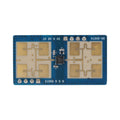
The HLK-2410C Pre-Soldered Module is a 24GHz mmWave human presence detection sensor built around the same chip as the popular LD2410C. The key difference: this version ships on a breakout board with header pins already soldered on, so you can drop it straight into a breadboard or jumper-wire it to your microcontroller without picking up a soldering iron. The board is marked 230329 for easy identification.
mmWave radar works fundamentally differently than PIR. Instead of detecting changes in infrared heat, the HLK-2410C bounces 24GHz radio waves off objects and analyzes the reflections. The chip processes those reflections across multiple distance "gates" and reports both moving targets and stationary (micro-motion) targets — so it can tell that someone is sitting still at a desk, not just walking past. That makes it ideal for smart lighting, occupancy-aware HVAC, presence-based displays, and bathroom/bedroom automations where PIR sensors traditionally fail.
The module exposes a 4-pin power/UART connector (5V, RX, TX, GND) plus a 7-pin debug header on the side for advanced configuration and OTA firmware updates. Sensitivity can be tuned per distance gate over UART using AT-style commands, giving you fine-grained control over false-trigger behavior in tricky environments.
At a Glance
Specifications
| Parameter | Value |
| Operating Voltage | 5V DC (4.5V – 5.5V) |
| Operating Current | ~80 mA average |
| Radar Frequency | 24.000 – 24.250 GHz |
| Max Detection Distance (motion) | ~6 m |
| Max Detection Distance (static) | ~6 m |
| Distance Resolution | 0.75 m per gate (9 gates) |
| Detection Angle | ±60° horizontal, ±35° vertical |
| UART Baud Rate | 256000 bps, 8N1 (default) |
| TX Logic Level | 3.3V TTL |
| Operating Temperature | -40°C to +85°C |
| Board Marking | 230329 |
| Connectors | 4-pin (5V/RX/TX/GND) + 7-pin debug header |
Pinout Diagram

Wiring Guide
Arduino Wiring
The Arduino Uno's hardware UART (pins 0/1) is shared with USB, so we use SoftwareSerial on pins D2 (RX) and D3 (TX). The HLK-2410C runs on 5V but its TX line outputs 3.3V — that's still a valid HIGH for the Uno, so no level shifter is needed in this direction. Note the crossover: the sensor's TX goes to the Arduino's RX.
| Sensor Pin | Arduino Uno Pin |
|---|---|
| 5V | 5V |
| GND | GND |
| TX | D2 (SoftwareSerial RX) |
| RX | D3 (SoftwareSerial TX) |
ESP32 Wiring
The ESP32 has three hardware UARTs. We'll use UART2 on GPIO16 (RX) and GPIO17 (TX), leaving UART0 free for USB serial debug. The ESP32 runs at 3.3V logic so it's perfectly matched to the sensor's TX line. Power the sensor from the ESP32's 5V (VIN) rail when USB-powered.
| Sensor Pin | ESP32 Pin |
|---|---|
| 5V | 5V / VIN |
| GND | GND |
| TX | GPIO16 (RX2) |
| RX | GPIO17 (TX2) |
ld2410 integration works out of the box with the HLK-2410C.Raspberry Pi Wiring
Enable the primary UART by running sudo raspi-config → Interface Options → Serial Port → disable login shell, enable hardware serial. The Pi exposes UART on GPIO14 (TXD) and GPIO15 (RXD). Power the sensor from the Pi's 5V rail.
| Sensor Pin | Raspberry Pi Pin |
|---|---|
| 5V | Pin 2 (5V) |
| GND | Pin 6 (GND) |
| TX | Pin 10 (GPIO15 / RXD) |
| RX | Pin 8 (GPIO14 / TXD) |
Raspberry Pi Pico Wiring
The Pico has two UARTs. We'll use UART0 on GP0 (TX) and GP1 (RX). Power the sensor from VBUS (pin 40) when the Pico is USB-powered to get a clean 5V rail.
| Sensor Pin | Pico Pin |
|---|---|
| 5V | VBUS (Pin 40) |
| GND | GND (Pin 38) |
| TX | GP1 (Pin 2, UART0 RX) |
| RX | GP0 (Pin 1, UART0 TX) |
Code Examples
Arduino
#include <SoftwareSerial.h>

// HLK-2410C TX -> D2, RX -> D3
SoftwareSerial radar(2, 3);

// Frame header / footer bytes from the LD2410 protocol
const uint8_t HEADER[4] = {0xF4, 0xF3, 0xF2, 0xF1};
const uint8_t FOOTER[4] = {0xF8, 0xF7, 0xF6, 0xF5};

uint8_t buf[64];
uint8_t idx = 0;

void setup() {
  Serial.begin(115200);
  radar.begin(256000);  // Default baud
  Serial.println("HLK-2410C ready");
}

void loop() {
  while (radar.available()) {
    uint8_t b = radar.read();
    if (idx < sizeof(buf)) buf[idx++] = b;

    // Look for footer
    if (idx >= 4 &&
        buf[idx-4] == FOOTER[0] && buf[idx-3] == FOOTER[1] &&
        buf[idx-2] == FOOTER[2] && buf[idx-1] == FOOTER[3]) {

      // Target state at byte 8: 0=none, 1=moving, 2=static, 3=both
      uint8_t state = buf[8];
      uint16_t moveDist  = buf[9]  | (buf[10] << 8);
      uint16_t staticDist = buf[12] | (buf[13] << 8);

      Serial.print("State: "); Serial.print(state);
      Serial.print("  Moving: "); Serial.print(moveDist);
      Serial.print("cm  Static: "); Serial.print(staticDist);
      Serial.println("cm");

      idx = 0;
    }
  }
}
ESP32
#include <HardwareSerial.h>

HardwareSerial radar(2);  // UART2

#define RXD2 16
#define TXD2 17

void setup() {
  Serial.begin(115200);
  radar.begin(256000, SERIAL_8N1, RXD2, TXD2);
  Serial.println("HLK-2410C on ESP32 UART2");
}

void loop() {
  static uint8_t buf[64];
  static uint8_t idx = 0;

  while (radar.available()) {
    uint8_t b = radar.read();
    if (idx < sizeof(buf)) buf[idx++] = b;

    if (idx >= 4 &&
        buf[idx-4] == 0xF8 && buf[idx-3] == 0xF7 &&
        buf[idx-2] == 0xF6 && buf[idx-1] == 0xF5) {

      uint8_t state = buf[8];
      uint16_t moveDist  = buf[9]  | (buf[10] << 8);
      uint16_t staticDist = buf[12] | (buf[13] << 8);
      uint16_t detectDist = buf[15] | (buf[16] << 8);

      Serial.printf("State=%u  Move=%ucm  Static=%ucm  Detect=%ucm\n",
                    state, moveDist, staticDist, detectDist);
      idx = 0;
    }
  }
}
Raspberry Pi (Python)
import serial
import time

ser = serial.Serial('/dev/serial0', 256000, timeout=0.1)
FOOTER = bytes([0xF8, 0xF7, 0xF6, 0xF5])

buf = bytearray()

print("HLK-2410C reader started. Ctrl-C to exit.")
try:
    while True:
        data = ser.read(64)
        if data:
            buf.extend(data)
            # Find a complete frame
            while FOOTER in buf:
                end = buf.index(FOOTER) + 4
                frame = bytes(buf[:end])
                del buf[:end]

                if len(frame) >= 17:
                    state = frame[8]
                    move = frame[9] | (frame[10] << 8)
                    static = frame[12] | (frame[13] << 8)
                    names = {0: "None", 1: "Moving", 2: "Static", 3: "Both"}
                    print(f"{names.get(state,'?'):6s}  move={move}cm  static={static}cm")
        time.sleep(0.05)
except KeyboardInterrupt:
    ser.close()
Raspberry Pi Pico (MicroPython)
from machine import UART, Pin
import time

uart = UART(0, baudrate=256000, tx=Pin(0), rx=Pin(1))
FOOTER = bytes([0xF8, 0xF7, 0xF6, 0xF5])

buf = bytearray()
print("HLK-2410C on Pico UART0")

while True:
    if uart.any():
        buf.extend(uart.read())
        while FOOTER in buf:
            end = buf.index(FOOTER) + 4
            frame = bytes(buf[:end])
            del buf[:end]
            if len(frame) >= 17:
                state = frame[8]
                move = frame[9] | (frame[10] << 8)
                static = frame[12] | (frame[13] << 8)
                print("state=%d move=%dcm static=%dcm" % (state, move, static))
    time.sleep_ms(50)
Frequently Asked Questions
ld2410 component, both of which provide a UI for the same commands.