Overview
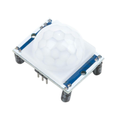
The HLK-2410B Pre-Soldered Module is an earlier member of Hi-Link's 24GHz mmWave human presence sensor family. Like its successor the 2410C, it uses millimeter-wave radar to detect both moving and stationary human targets — but with simpler configuration and a smaller AT-command set. If you don't need per-gate sensitivity tuning and just want clean presence/absence output from a single sensor, the 2410B is the easier and more affordable choice.
The module ships on a breakout board with header pins already soldered in place, so it goes straight from the bag into a breadboard. A 4-pin connector handles power and UART (5V, RX, TX, GND), and a side debug header is available for advanced users who want to flash firmware or use Hi-Link's PC configuration tool.
Typical use cases include smart bathroom lighting, desk-occupancy detection, hallway automations, and bedside presence-aware nightlights. The 2410B excels in environments where you mainly need a binary "is someone there?" answer without the complexity of distance-gated rules. Because it's true radar — not PIR — it sees through clothing, blankets, and thin plastic enclosures, and it doesn't care about ambient temperature.
At a Glance
Specifications
| Parameter | Value |
| Operating Voltage | 5V DC (4.5V – 5.5V) |
| Operating Current | ~70 mA average |
| Radar Frequency | 24.000 – 24.250 GHz |
| Max Detection Distance (motion) | ~5 m |
| Max Detection Distance (static) | ~3 m |
| Detection Angle | ±60° horizontal, ±30° vertical |
| UART Baud Rate | 115200 bps, 8N1 (default) |
| TX Logic Level | 3.3V TTL |
| Output Format | ASCII status strings ("ON" / "OFF") |
| Configurability | Basic (sensitivity, hold time) |
| Operating Temperature | -40°C to +85°C |
| Connectors | 4-pin (5V/RX/TX/GND) + debug header |
Pinout Diagram

Wiring Guide
Arduino Wiring
The 2410B's default 115200 baud is gentler than the 2410C's 256000 baud, making SoftwareSerial on an Uno comfortably reliable. Use D2 as RX and D3 as TX. Remember the crossover: sensor TX goes to Arduino RX. The sensor's 3.3V TX line is a valid HIGH for the Uno's 5V inputs, so no level shifter is needed.
| Sensor Pin | Arduino Uno Pin |
|---|---|
| 5V | 5V |
| GND | GND |
| TX | D2 (SoftwareSerial RX) |
| RX | D3 (SoftwareSerial TX) |
ESP32 Wiring
Use UART2 on GPIO16 (RX) and GPIO17 (TX). The ESP32's native 3.3V logic is a perfect match for the sensor's 3.3V UART, so no level conversion is required. Power the sensor from the 5V/VIN rail.
| Sensor Pin | ESP32 Pin |
|---|---|
| 5V | 5V / VIN |
| GND | GND |
| TX | GPIO16 (RX2) |
| RX | GPIO17 (TX2) |
uart component and a simple text sensor for plug-and-play occupancy.Raspberry Pi Wiring
Enable the hardware serial port via sudo raspi-config → Interface Options → Serial Port → disable login shell, enable hardware serial. The primary UART appears on GPIO14 (TXD) and GPIO15 (RXD). Power the sensor from the Pi's 5V rail.
| Sensor Pin | Raspberry Pi Pin |
|---|---|
| 5V | Pin 2 (5V) |
| GND | Pin 6 (GND) |
| TX | Pin 10 (GPIO15 / RXD) |
| RX | Pin 8 (GPIO14 / TXD) |
Raspberry Pi Pico Wiring
Use the Pico's UART0 on GP0 (TX) and GP1 (RX). Power the sensor from VBUS (pin 40) for a clean 5V supply while the Pico is USB-powered.
| Sensor Pin | Pico Pin |
|---|---|
| 5V | VBUS (Pin 40) |
| GND | GND (Pin 38) |
| TX | GP1 (Pin 2, UART0 RX) |
| RX | GP0 (Pin 1, UART0 TX) |
Code Examples
Arduino
#include <SoftwareSerial.h>

// HLK-2410B TX -> D2, RX -> D3
SoftwareSerial radar(2, 3);

String line;

void setup() {
  Serial.begin(115200);
  radar.begin(115200);
  Serial.println("HLK-2410B ready");
}

void loop() {
  while (radar.available()) {
    char c = radar.read();
    if (c == '\n' || c == '\r') {
      if (line.length() > 0) {
        line.trim();
        // Sensor emits ASCII status: "ON" when presence detected, "OFF" otherwise
        if (line.indexOf("ON") >= 0) {
          Serial.println("[PRESENCE] occupied");
        } else if (line.indexOf("OFF") >= 0) {
          Serial.println("[PRESENCE] vacant");
        } else {
          Serial.print("[RAW] ");
          Serial.println(line);
        }
        line = "";
      }
    } else {
      line += c;
    }
  }
}
ESP32
#include <HardwareSerial.h>

HardwareSerial radar(2);  // UART2

#define RXD2 16
#define TXD2 17

bool present = false;

void setup() {
  Serial.begin(115200);
  radar.begin(115200, SERIAL_8N1, RXD2, TXD2);
  Serial.println("HLK-2410B on ESP32 UART2");
}

void loop() {
  static String buf;
  while (radar.available()) {
    char c = radar.read();
    if (c == '\n' || c == '\r') {
      if (buf.length()) {
        buf.trim();
        bool nowPresent = (buf.indexOf("ON") >= 0);
        if (nowPresent != present) {
          present = nowPresent;
          Serial.printf("Presence -> %s\n", present ? "OCCUPIED" : "VACANT");
        }
        buf = "";
      }
    } else {
      buf += c;
    }
  }
}
Raspberry Pi (Python)
import serial
import time

ser = serial.Serial('/dev/serial0', 115200, timeout=1)
present = None

print("HLK-2410B reader started. Ctrl-C to exit.")
try:
    while True:
        line = ser.readline().decode(errors='ignore').strip()
        if not line:
            continue
        now = "ON" in line
        if now != present:
            present = now
            print("Presence:", "OCCUPIED" if present else "VACANT")
        else:
            # Optional raw print for debugging
            # print("raw:", line)
            pass
except KeyboardInterrupt:
    ser.close()
Raspberry Pi Pico (MicroPython)
from machine import UART, Pin
import time

uart = UART(0, baudrate=115200, tx=Pin(0), rx=Pin(1))
buf = ""
present = None

print("HLK-2410B on Pico UART0")

while True:
    if uart.any():
        chunk = uart.read()
        if chunk:
            buf += chunk.decode('utf-8', 'ignore')
            while '\n' in buf or '\r' in buf:
                # split on either line ending
                idx = min([i for i in (buf.find('\n'), buf.find('\r')) if i >= 0])
                line, buf = buf[:idx].strip(), buf[idx+1:]
                if line:
                    now = ("ON" in line)
                    if now != present:
                        present = now
                        print("Presence:", "OCCUPIED" if present else "VACANT")
    time.sleep_ms(50)