Overview
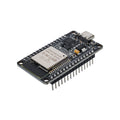
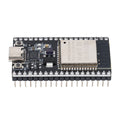
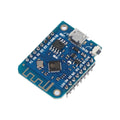
The ESP32-C3 is a single-core 32-bit RISC-V microcontroller with built-in Wi-Fi (2.4 GHz) and Bluetooth 5.0 LE. This pre-soldered "Super Mini" dev board breaks out the most useful pins on a thumb-sized PCB with USB Type-C, making it one of the smallest and cheapest ways to add wireless connectivity to a project.
Despite its size, the C3 has 4 MB of Flash, hardware support for SPI, I2C, UART, and 6 ADC channels. It is supported in the Arduino IDE through the Espressif ESP32 core and runs MicroPython and CircuitPython without modification. The native USB-C interface handles flashing and serial monitoring directly — no external USB-to-Serial chip is involved.
This board is a great fit for IoT sensor nodes, BLE buttons and beacons, smart-home projects, ESP-NOW mesh experiments, and any application where size and power consumption matter more than raw CPU performance.
At a Glance
Specifications
| Parameter | Value |
| Microcontroller | ESP32-C3 (32-bit single-core RISC-V) |
| Clock Frequency | Up to 160 MHz |
| Flash Memory | 4 MB SPI Flash |
| SRAM | 400 KB on-chip |
| Wireless | Wi-Fi 802.11 b/g/n (2.4 GHz), Bluetooth 5.0 LE + Mesh |
| Operating Voltage | 3.3V |
| Input Voltage | 5V via USB-C, or 5V via 5V pin |
| GPIO Logic Level | 3.3V (NOT 5V tolerant) |
| Digital I/O Pins | 13 broken-out GPIO |
| Analog Input (ADC) Channels | 6 (A0-A5, 12-bit) |
| Communication Interfaces | I2C, SPI, UART, USB Serial/JTAG |
| USB Connector | USB Type-C (native USB Serial/JTAG) |
| Form Factor | Super Mini (~22 x 18 mm) |
| Headers | Pre-soldered male pins |
Pinout Diagram

Wiring Guide
LED + Push Button Wiring
A great first project for any new dev board: blink an LED and read a button. Use a 220-330 ohm current-limiting resistor in series with the LED.
| Component | ESP32-C3 Pin | Details |
|---|---|---|
| LED Anode (long leg) | GPIO2 | Through 220 ohm resistor |
| LED Cathode (short leg) | GND | |
| Button Terminal 1 | GPIO3 | Use INPUT_PULLUP in firmware |
| Button Terminal 2 | GND |
I2C Sensor Wiring
The default I2C pins on this board are GPIO8 (SDA) and GPIO9 (SCL). Most 3.3V I2C breakouts (BME280, MPU6050, SSD1306, ADS1115, BH1750, etc.) connect directly with no level shifting.
| Sensor Pin | ESP32-C3 Pin | Details |
|---|---|---|
| VCC | 3V3 | Use 3V3, not 5V |
| GND | GND | |
| SDA | GPIO8 | |
| SCL | GPIO9 |
SPI Device Wiring
The hardware SPI bus uses GPIO4 (SCK), GPIO5 (MISO), GPIO6 (MOSI), and GPIO7 (SS). Any free GPIO can serve as a chip select if you need more than one device on the bus.
| SPI Device Pin | ESP32-C3 Pin | Details |
|---|---|---|
| VCC | 3V3 | |
| GND | GND | |
| SCK | GPIO4 | Clock |
| MISO | GPIO5 | Master In, Slave Out |
| MOSI | GPIO6 | Master Out, Slave In |
| CS / SS | GPIO7 | Chip Select |
UART / Serial Wiring
The hardware UART is exposed on GPIO20 (RX) and GPIO21 (TX). This UART is independent from the USB-C serial console, so you can talk to a peripheral and watch debug output at the same time.
| External Device | ESP32-C3 Pin | Details |
|---|---|---|
| TX (out from device) | GPIO20 (RX) | Cross-wire: their TX to your RX |
| RX (in to device) | GPIO21 (TX) | Cross-wire: your TX to their RX |
| VCC | 3V3 or 5V | Match the device's voltage |
| GND | GND | Common ground required |
Code Examples
Arduino IDE - Connect to Wi-Fi
// ESP32-C3 - Connect to Wi-Fi and print IP
// Install: Boards Manager -> "esp32" by Espressif Systems
// Select Board: "ESP32C3 Dev Module"

#include <WiFi.h>

const char* ssid     = "YOUR_SSID";
const char* password = "YOUR_PASSWORD";

void setup() {
  Serial.begin(115200);
  delay(1000);

  Serial.print("Connecting to ");
  Serial.println(ssid);

  WiFi.begin(ssid, password);
  while (WiFi.status() != WL_CONNECTED) {
    delay(500);
    Serial.print(".");
  }

  Serial.println();
  Serial.print("Connected! IP address: ");
  Serial.println(WiFi.localIP());
  Serial.print("RSSI: ");
  Serial.print(WiFi.RSSI());
  Serial.println(" dBm");
}

void loop() {
  delay(10000);
  Serial.print("Still connected? ");
  Serial.println(WiFi.status() == WL_CONNECTED ? "yes" : "no");
}
Arduino IDE - Read Analog (Potentiometer)
// ESP32-C3 - Read a 10k potentiometer on A0 (GPIO0)
// Wire: pot ends to 3V3 and GND, wiper to GPIO0

const int potPin = 0;  // A0 = GPIO0

void setup() {
  Serial.begin(115200);
  analogReadResolution(12);  // 0 - 4095
}

void loop() {
  int raw = analogRead(potPin);
  float voltage = raw * 3.3 / 4095.0;
  Serial.printf("Raw: %4d   Voltage: %.2f V\n", raw, voltage);
  delay(200);
}
MicroPython - I2C Bus Scan
# ESP32-C3 - Scan the I2C bus for devices (MicroPython)
# Flash MicroPython for ESP32-C3 from micropython.org

from machine import I2C, Pin
import time

i2c = I2C(0, sda=Pin(8), scl=Pin(9), freq=100_000)

while True:
    devices = i2c.scan()
    if devices:
        print("Found {} I2C device(s):".format(len(devices)))
        for addr in devices:
            print("  - 0x{:02X}".format(addr))
    else:
        print("No I2C devices found")
    time.sleep(2)
MicroPython - BLE GATT Service
# ESP32-C3 - Minimal BLE peripheral with one read characteristic
# Discoverable as "ESP32C3-Hello"

import bluetooth
import time
from micropython import const

_FLAG_READ = const(0x0002)
_SVC_UUID  = bluetooth.UUID(0x180A)            # Device Information
_CHR_UUID  = bluetooth.UUID(0x2A29)            # Manufacturer Name

ble = bluetooth.BLE()
ble.active(True)

((handle,),) = ble.gatts_register_services(((_SVC_UUID, ((_CHR_UUID, _FLAG_READ),)),))
ble.gatts_write(handle, b"ShillehTek")

# Build advertising payload
name = b"ESP32C3-Hello"
adv = bytearray()
adv += bytes((2, 0x01, 0x06))                  # flags
adv += bytes((len(name) + 1, 0x09)) + name     # complete name

ble.gap_advertise(100_000, adv)
print("Advertising as 'ESP32C3-Hello' - connect with nRF Connect")

while True:
    time.sleep(1)