Overview
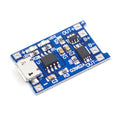
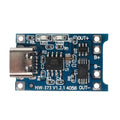
The CN3791 6V MPPT Solar Charger Module is a compact, single-cell lithium-ion charger built around the CN3791 charge controller IC. What makes it interesting compared to the more common TP4056 is the MPPT (Maximum Power Point Tracking) circuit — instead of dragging your solar panel down to battery voltage and wasting power, it actively senses the input and parks the panel near its optimal operating point. The result is significantly more harvested energy on cloudy days, in shade, and during early morning or late afternoon hours when every milliamp counts.
The board is designed around a 6V nominal panel input and a single 3.7V Li-ion or LiPo battery output (4.2V fully charged). It implements a proper constant-current / constant-voltage (CC/CV) charge profile and includes battery activation, which can gently revive over-discharged cells that would otherwise refuse to take a charge. Three JST input connectors and three JST output connectors are paralleled internally, alongside dedicated VIN, GND, and BAT screw terminals, so you can wire it however your project demands.
This module is the workhorse for off-grid IoT nodes, solar-powered ESP32 weather stations, wildlife cameras, garden sensors, and remote LoRa devices. Pair it with a 6V solar panel and an 18650 cell and you have the foundation for a node that runs indefinitely.
At a Glance
Specifications
| Parameter | Value |
| Charge Controller | CN3791 (MPPT, CC/CV) |
| Recommended Solar Panel | 6V (5V to 9V usable range) |
| Battery Type | 1S Li-ion / LiPo (3.7V nominal) |
| Float / Termination Voltage | 4.2V ±1% |
| Default Charge Current | ~500mA (set by sense resistor) |
| Charge Profile | Constant Current / Constant Voltage |
| Battery Activation (Trickle) | Yes, revives over-discharged cells |
| Input Connectors | 3x JST (paralleled) + VIN/GND screw terminals |
| Output Connectors | 3x JST (paralleled) + BAT/GND screw terminals |
| Status Indicators | Charging LED (red) / Done LED (green) |
| Operating Temperature | -20C to +85C |
| Board Dimensions | ~28 x 21 mm |
Pinout Diagram

Wiring Guide
Solar Input
The input side accepts a 6V nominal solar panel. You can wire it through either the screw terminals (VIN/GND) or any of the three input JST connectors — they're all electrically tied together inside the module, so use whichever physical connection suits your enclosure. Polarity matters: positive goes to VIN, negative to GND.
| Module Pin | Connection |
|---|---|
| VIN (screw or JST) | Solar panel + (red wire) |
| GND (screw or JST) | Solar panel - (black wire) |
Battery / Output
The BAT terminal connects directly to the positive side of your single Li-ion or LiPo cell. As with the input, use either the BAT/GND screw terminals or any of the three output JST connectors — they're internally paralleled. The module charges to 4.2V using a constant-current then constant-voltage profile and terminates automatically.
| Module Pin | Connection |
|---|---|
| BAT (screw or JST) | Li-ion / LiPo + terminal |
| GND (screw or JST) | Li-ion / LiPo - terminal |
With Microcontrollers
The CN3791 has no digital interface — it's a passive power module. Most projects wire it as a power-path stage: solar panel feeds the module's input, the module charges a battery, and the battery (or a boost regulator from the battery) feeds your microcontroller.
| Stage | Connection |
|---|---|
| Solar Panel + | Module VIN |
| Solar Panel - | Module GND |
| Module BAT | 18650 / LiPo + terminal |
| Module GND | 18650 / LiPo - terminal |
| Battery + | 3.3V LDO / boost converter input (powers MCU) |
| Battery + (via 100k/100k divider) | MCU ADC pin (battery voltage monitor) |
Sizing & Tips
Picking the right solar panel and battery makes the difference between a project that runs forever and one that flatlines in three days. A few rules of thumb:
- Panel voltage: 6V nominal is the sweet spot. The MPPT circuit is tuned around this voltage and will track the panel's maximum power point.
- Panel wattage: 1W minimum for a sleeping ESP32 node. 2W or more if you want margin for cloudy days.
- Battery capacity: Size for at least 3-5 days of autonomy with no sun. A 2000-3000 mAh 18650 is typical.
- LED status: Red LED indicates charging in progress, green LED indicates charge complete.
Code Examples
This is a passive power module — there is no digital interface to read with code. The examples below show how to monitor battery voltage on a microcontroller ADC, which is useful for low-battery shutoffs, solar status displays, and triggering deep sleep when the cell runs low.
All examples assume a 100k / 100k voltage divider between BAT and GND, with the midpoint feeding an ADC pin. The divider halves the battery voltage so a 4.2V cell reads as 2.1V at the pin, comfortably within ADC range.
Arduino (Battery Voltage Monitor)
// CN3791 Battery Voltage Monitor - Arduino Uno / Nano
// Wire BAT terminal to A0 through a 100k/100k divider to GND.

const int BAT_PIN = A0;
const float VREF = 5.0;          // Uno/Nano ADC reference
const float DIVIDER_RATIO = 2.0; // 100k + 100k -> halves the voltage
const float LOW_BAT_THRESHOLD = 3.3; // volts

void setup() {
  Serial.begin(9600);
  pinMode(LED_BUILTIN, OUTPUT);
}

void loop() {
  int raw = analogRead(BAT_PIN);
  float vPin = (raw / 1023.0) * VREF;
  float vBat = vPin * DIVIDER_RATIO;

  Serial.print("Battery: ");
  Serial.print(vBat, 2);
  Serial.println(" V");

  if (vBat < LOW_BAT_THRESHOLD) {
    // Blink rapidly as low-battery warning
    digitalWrite(LED_BUILTIN, HIGH);
    delay(100);
    digitalWrite(LED_BUILTIN, LOW);
    delay(100);
  } else {
    digitalWrite(LED_BUILTIN, LOW);
    delay(1000);
  }
}
ESP32 (Battery Voltage Monitor with Deep Sleep)
// CN3791 + ESP32 - reads battery, sleeps if low.
// Wire BAT through 100k/100k divider to GPIO34.

const int BAT_PIN = 34;
const float VREF = 3.3;
const float DIVIDER_RATIO = 2.0;
const float LOW_BAT_SLEEP = 3.2; // volts - go to sleep below this
const uint64_t SLEEP_US = 60ULL * 60ULL * 1000000ULL; // 1 hour

float readBatteryVoltage() {
  // Average 16 samples for stability
  uint32_t sum = 0;
  for (int i = 0; i < 16; i++) {
    sum += analogRead(BAT_PIN);
    delay(2);
  }
  float raw = sum / 16.0;
  float vPin = (raw / 4095.0) * VREF;
  return vPin * DIVIDER_RATIO;
}

void setup() {
  Serial.begin(115200);
  delay(200);

  float vBat = readBatteryVoltage();
  Serial.printf("Battery: %.2f V\n", vBat);

  if (vBat < LOW_BAT_SLEEP) {
    Serial.println("Low battery - deep sleep 1h");
    esp_sleep_enable_timer_wakeup(SLEEP_US);
    esp_deep_sleep_start();
  }

  // Otherwise do normal work: read sensors, post data, etc.
  Serial.println("Battery OK - running normally");
}

void loop() {
  delay(5000);
}
Raspberry Pi Pico (Battery Voltage Monitor)
# CN3791 + Raspberry Pi Pico - MicroPython
# Wire BAT through 100k/100k divider to GP26 (ADC0).

from machine import ADC, Pin
import time

bat_adc = ADC(Pin(26))
led = Pin(25, Pin.OUT)

VREF = 3.3
DIVIDER_RATIO = 2.0
LOW_BAT = 3.3

def read_battery():
    # 16-bit ADC on Pico
    raw = bat_adc.read_u16()
    v_pin = (raw / 65535) * VREF
    return v_pin * DIVIDER_RATIO

while True:
    v = read_battery()
    print("Battery: {:.2f} V".format(v))

    if v < LOW_BAT:
        for _ in range(5):
            led.toggle()
            time.sleep(0.1)
    else:
        led.value(0)

    time.sleep(2)