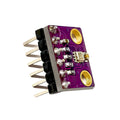
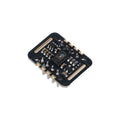
INA219 I2C Bi-Directional Current & Power Monitoring Sensor Module with Soldering and FoamDefault Title · $7.99 · Out of stock
Overview
The INA219 is a high-side bidirectional current and power monitor that talks I2C. It sits in series with your load (between the supply and whatever you're powering), measures both the voltage drop across an onboard 0.1 Ω shunt and the bus voltage, and reports current, voltage, and power as 16-bit values over I2C. Perfect for battery monitoring, solar logging, motor characterization, and any project where you need to know "how much is this drawing right now?"
Bidirectional means it reads both positive and negative current — handy for charging vs. discharging logic on Li-ion or LiFePO4 systems. The two solder-jumper pads (A0/A1) let you set up to 4 unique I2C addresses, so you can stack multiple INA219s on one bus to monitor several rails at once.
Wire it like an in-line ammeter: break the high-side wire, route it through Vin+ and Vin-. The shunt drops a tiny voltage proportional to current, which the chip measures.
Terminal
Connect To
Vin+
Power supply positive (e.g., battery +)
Vin-
Load positive (the device you're measuring)
Load GND
Battery / supply GND (NOT through the module)
Module GND
Shared with logic GND (Arduino/Pi GND)
Warning: Bus voltage is limited to 26V. Don't insert this into circuits above 26V — the chip will be destroyed. For higher-voltage rails use an INA226 or INA260 instead.
Tip: The screw terminals (Vin+/Vin-) handle 5A peak. For currents above 1A use the screw terminals, not the small breakout pins.
#!/usr/bin/env python3
# Install: pip install adafruit-circuitpython-ina219
# Enable I2C: sudo raspi-config -> Interface Options -> I2C

import time
import board, busio
from adafruit_ina219 import INA219

i2c = busio.I2C(board.SCL, board.SDA)
ina = INA219(i2c)

while True:
    bus = ina.bus_voltage           # V
    shunt = ina.shunt_voltage       # V
    current = ina.current           # mA
    power = ina.power               # W
    print(f"Bus: {bus:.2f}V  Shunt: {shunt*1000:.2f}mV  "
          f"I: {current:.2f}mA  P: {power*1000:.2f}mW")
    time.sleep(1)
Raspberry Pi Pico (MicroPython)
ina219_pico.py
# INA219 on Pico - MicroPython
# Install: copy ina219.py from robert-hh/INA219 (or pip install via mip)

from machine import I2C, Pin
from ina219 import INA219
import time

i2c = I2C(0, sda=Pin(4), scl=Pin(5), freq=400000)
ina = INA219(0.1, i2c)
ina.configure(voltage_range=ina.RANGE_16V, gain=ina.GAIN_AUTO)

while True:
    print('Bus: {:.2f}V  Current: {:.2f}mA  Power: {:.2f}mW'.format(
        ina.voltage(), ina.current(), ina.power()))
    time.sleep(1)
Frequently Asked Questions
Why am I always reading 0 mA?
Almost always wiring. Vin+ goes to the supply, Vin- goes to the load (in series). If you bypass the chip's shunt by wiring both ends to the same point, you'll read 0. Verify with a multimeter that current actually flows through Vin+ → Vin-.
Can it measure higher than 3.2A?
Yes — but you need to swap the 0.1 Ω shunt for a smaller one (e.g., 0.01 Ω for ~32A) and update the calibration register accordingly. The chip itself can monitor up to 3.2A as shipped; for higher current use an INA226 or external shunt with custom calibration.
What's the difference between bus voltage and load voltage?
Bus voltage is what the INA219 measures at Vin- (the load side). Load voltage = bus voltage + shunt voltage drop. For most low-current applications they're nearly identical (the shunt drop is millivolts), but for high current the difference matters.
Can I monitor multiple rails on one bus?
Yes. Bridge the A0 and/or A1 solder pads on each module to give it a unique address (0x40, 0x41, 0x44, 0x45). Up to 4 INA219s on one I2C bus.
Does it work with negative voltage?
No — the bus voltage range is 0 to 26V single-ended (referenced to GND). It DOES read bidirectional CURRENT (positive or negative through the shunt), so it can detect charging vs. discharging on a battery.
Do I need a level shifter on I2C?
No. The INA219 has internal level translation and works fine with both 3.3V (Pi, ESP32, Pico) and 5V (Arduino UNO) I2C buses without external shifters.
Datasheets & downloads
Reference documents for the INA219 I2C Bi-Directional Current & Power Monitoring Sensor Module with Soldering and Foam. This manual covers wiring and code; the documents below carry the full electrical specifications.