Overview
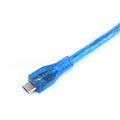
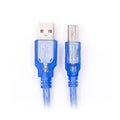
This is a sturdy USB-A to USB-C cable in 0.5 m (1.64 ft) length, rated for up to 2 A of current. The shorter length keeps cable clutter down on a busy bench, and the 2 A rating gives you enough headroom to fast-charge phones, power USB-C development boards, or feed a Raspberry Pi 4/5 with a single cable from a 2 A wall adapter or a host PC's USB-A port.
Use it for charging modern Android phones, tablets, and accessories; programming and powering USB-C dev boards (Arduino UNO R4, Seeed XIAO, Raspberry Pi Pico W with USB-C carrier boards); or as a general-purpose data + power cable for any USB-C peripheral that doesn't require Power Delivery (PD) high-voltage modes.
At a Glance
Specifications
| Parameter | Value |
| Cable Length | 0.5 m / 1.64 ft |
| Connector A | USB Type-A male |
| Connector B | USB Type-C male |
| USB Standard | USB 2.0 |
| Maximum Data Rate | 480 Mbps (Hi-Speed) |
| Maximum Current | 2 A |
| Voltage Rating | 5V (legacy USB-A host) |
| Conductor | Tinned copper |
| Shielding | Foil + braid |
| Jacket | PVC, black |
| Operating Temperature | -20°C to +60°C |
Use Cases & Compatibility
This cable works with any device that accepts USB-A on the host side and USB-C on the peripheral side. It carries data and 5V power; it does not negotiate USB-PD higher voltages (which require a USB-C-to-USB-C cable plus a PD source).
| Use Case | Notes |
|---|---|
| Phone / tablet charging | 2 A allows reasonably quick charge on most modern phones over 5V QC profiles. |
| Arduino UNO R4 / R4 WiFi | Powers and programs the board directly from your PC's USB-A. |
| Seeed XIAO series (RP2040, ESP32C3/C6, nRF52840, ESP32S3) | One cable for power + USB-CDC programming. |
| Raspberry Pi 4 / Pi 5 | Boots and runs from 2 A in lightweight scenarios; for heavy use prefer the official PSU. |
| USB-C peripherals (hubs, drives, microphones) | USB 2.0 speed only — not for SuperSpeed external SSDs. |
| USB-C accessories needing < 2 A @ 5V | Audio interfaces, LED strips, fans, keyboards. |