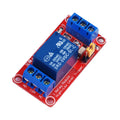
Overview
This is a single-channel programmable time-delay relay module built around a small MCU, a 3-digit 7-segment display, and a 10A SPDT relay rated for 250V AC loads. The module is powered by either Micro USB (5V) or a 6-30V DC terminal, has a low-voltage trigger input (3-24V), and can switch up to 220/240V AC mains through its NO/COM/NC terminals.
Despite the "AC 220V" in the name — which describes the relay's switching capacity — the module itself is a low-voltage DC device. It's the right pick for: timed lights, automated water pump runs, garage / shed door control, fish-tank pump cycles, "wake-up" appliance starters, and any other "press a button, switch a thing on/off after X seconds" project. It can also be triggered programmatically from an Arduino, ESP32, Raspberry Pi, or Pico.
The four front-panel buttons — STOP / SET / UP / DOWN — let you program one of several operating modes (delay-on, delay-off, pulse, cycle) and the time value, all without a microcontroller. Settings persist through a power cycle.
At a Glance
Specifications
| Parameter | Value |
| Channels | 1 (SPDT relay) |
| Module Power Input | Micro USB 5V, or 6-30V DC (terminal) |
| Anti-Reverse Protection | Yes (input polarity protected) |
| Quiescent Current | ~25 mA (display + MCU) |
| Relay-On Current | ~75 mA additional |
| Trigger Signal | 3.0V - 24V DC, momentary or sustained |
| Relay Type | SONGLE SRD-05VDC-SL-C (SPDT, NO/NC/COM) |
| Switching Capacity | 10A @ 250VAC, 10A @ 30VDC |
| Programmable Modes | Delay-on, Delay-off, Pulse, Repeat-Cycle |
| Time Range | 0.1 seconds to ~999 minutes (mode-dependent) |
| Display | 3-digit 7-segment LED |
| Operating Temperature | -20 degC to +60 degC |
| Dimensions | ~65 x 36 x 18 mm |
Pinout Diagram

Wiring Guide
Standalone (No Microcontroller)
The simplest setup: power the module from a 5V USB charger (Micro USB) or a 6-30V DC source on the input terminals, wire your load through the relay output, and use the on-board buttons to set the timing mode and value.
| Connection | Goes To |
|---|---|
| Micro USB 5V | Wall adapter / power bank |
| (or) Input + / - | 6-30V DC supply |
| Trigger + / - | Push button or switch (3-24V signal to GND) |
| Relay COM | Hot side of mains (or DC + line) |
| Relay NO | Load hot (lit when relay activates) |
| Relay NC | Alternate load (lit when relay is OFF) |
Arduino-Triggered Operation
Drive the trigger input from any Arduino digital output. Tie the Arduino GND to the relay module GND so the trigger signal has a return path.
| Module Pin | Arduino Pin |
|---|---|
| Trigger + | D2 (drive HIGH to fire) |
| Trigger - | Arduino GND (shared) |
| Module Power | 5V USB (separate from Arduino) |
ESP32-Triggered Operation
The trigger input accepts 3.3V — perfect for the ESP32. Wire any GPIO to Trigger +, share GND, and pulse the GPIO HIGH to fire the relay.
| Module Pin | ESP32 Pin |
|---|---|
| Trigger + | GPIO 5 |
| Trigger - | ESP32 GND (shared) |
Raspberry Pi-Triggered Operation
Pi GPIO at 3.3V drives the trigger input directly. Always share GND between the Pi and the module.
| Module Pin | Pi Pin |
|---|---|
| Trigger + | Pin 11 (GPIO 17) |
| Trigger - | Pi GND (Pin 6) |
Code Examples
Arduino - Fire the Relay Every 30 Seconds
// 1-Channel programmable delay relay - fire trigger from Arduino
// Wire Trigger+ to D2, share GND. Module is set to "Delay-On" mode in its menu.

const int triggerPin = 2;

void setup() {
  pinMode(triggerPin, OUTPUT);
  digitalWrite(triggerPin, LOW);
}

void loop() {
  digitalWrite(triggerPin, HIGH);
  delay(150);                     // 150 ms pulse fires the trigger
  digitalWrite(triggerPin, LOW);

  delay(30000);                   // wait 30 seconds before next trigger
}
ESP32 - Web-Triggered Relay
// ESP32 - fire the time-delay relay from a tiny web page
// Wire Trigger+ to GPIO 5, share GND.

#include <WiFi.h>
#include <WebServer.h>

const char* ssid     = "YOUR_SSID";
const char* password = "YOUR_PASSWORD";
const int   trigPin  = 5;

WebServer server(80);

void fire() {
  digitalWrite(trigPin, HIGH);
  delay(150);
  digitalWrite(trigPin, LOW);
}

void setup() {
  pinMode(trigPin, OUTPUT);
  Serial.begin(115200);
  WiFi.begin(ssid, password);
  while (WiFi.status() != WL_CONNECTED) { delay(300); Serial.print("."); }
  Serial.println(WiFi.localIP());

  server.on("/", []() {
    server.send(200, "text/html", "<a href=\"/fire\">[ FIRE RELAY ]</a>");
  });
  server.on("/fire", []() {
    fire();
    server.send(200, "text/plain", "Triggered.");
  });
  server.begin();
}

void loop() { server.handleClient(); }
Raspberry Pi (Python)
#!/usr/bin/env python3
# 1-channel programmable delay relay - fire trigger from Raspberry Pi

import RPi.GPIO as GPIO
import time

TRIG = 17
GPIO.setmode(GPIO.BCM)
GPIO.setup(TRIG, GPIO.OUT, initial=GPIO.LOW)

try:
    while True:
        GPIO.output(TRIG, GPIO.HIGH)
        time.sleep(0.15)
        GPIO.output(TRIG, GPIO.LOW)
        time.sleep(30)
except KeyboardInterrupt:
    GPIO.cleanup()