Overview
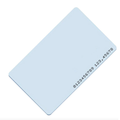
This 13.56MHz RFID smart card uses the NXP MIFARE Classic S50 1K chip — the same IC found in most commercial access cards, transit passes, and hotel room keys. It's a credit-card-sized, ISO 14443A-compliant token ready to pair with any standard 13.56MHz reader.
Tap it against an RC522, PN532, or other HF RFID module connected to an Arduino, Raspberry Pi, ESP32, or Pico, and your code instantly receives the card's unique 4-byte UID. It also stores 1KB of readable and writable memory across 16 sectors — enough for access control whitelists, stored-value balances, small maker-project records, and cloning experiments.
At a Glance
Form Factor
ISO Card (CR80)
Specifications
| Parameter |
Value |
| Operating Frequency |
13.56 MHz |
| Standard |
ISO/IEC 14443 Type A |
| IC Chip |
NXP MIFARE Classic S50 (1K) |
| Memory Capacity |
1 KB EEPROM, 16 sectors × 4 blocks × 16 bytes |
| UID |
4 bytes, factory-programmed, unique |
| Data Rate |
106 kbit/s |
| Read Range |
Up to ~5 cm (reader dependent) |
| Card Size |
85.6 × 54 × 0.86 mm (ISO/IEC 7810 ID-1 / CR80) |
| Material |
PVC, blank white (printable) |
| Write Endurance |
100,000 cycles |
| Data Retention |
10+ years |
| Power |
Passive (energy harvested from reader's field) |
| Operating Temperature |
-20°C to +55°C |
How to Use
The card is passive and needs no power, wiring, or soldering. Hold it within a few centimeters of a 13.56MHz reader (RC522, PN532, or similar) connected to your microcontroller, and the reader will harvest power from its own RF field, energize the card's coil, and exchange data in milliseconds.
The typical workflow: run a library's "read UID" example, tap the card, and log the returned UID. For access control projects, compare the UID against a whitelist. For more advanced projects, read and write the 1KB of sector data after authenticating with the appropriate key.
Tip: Because the card is standard CR80 size, it fits every commercial ID-badge holder, lanyard clip, and wallet slot — handy for wearable or pocketable access tokens in your own projects.
Reader compatibility: Works with RC522, MFRC522, PN532, PN5180, ACR122U, and any other ISO 14443A reader. Libraries include MFRC522 (Arduino), mfrc522 (MicroPython), and pi-rc522 (Raspberry Pi).
Frequency matters: This is a 13.56MHz (HF) card. It will NOT be read by 125kHz (LF) readers such as the RDM6300. Match reader frequency to card frequency.
Frequently Asked Questions
Is this the same chip commercial access cards use?
Often, yes. The MIFARE Classic S50 (1K) is one of the most widely deployed HF cards in office access control, hotel keys, and transit systems. That said, many newer systems have upgraded to MIFARE Plus or DESFire for stronger security.
Can I print a design on the card?
Yes. These are blank white PVC cards suitable for standard ID card printers (like Magicard, Fargo, or Zebra) using retransfer or dye-sublimation. For a home setup, a printable ID sticker or adhesive label works fine too.
Does it work with my phone?
Yes — any Android phone with NFC or an NFC-capable iPhone will read the UID using apps like "NFC Tools" or "MIFARE Classic Tool." Great for sanity-checking a card before deploying it.
Can I change the UID?
No. Genuine S50 chips have a factory-locked UID. If you need to clone another card, look for "UID-changeable" (aka "magic") S50 cards — they are a separate product sold specifically for that purpose.
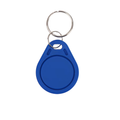
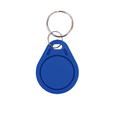
What's the difference between this and a key fob?
Purely physical form factor. Same chip, same data, same read range. The card slips into a wallet; the key fob clips to a keyring. Pick whichever suits the project — or use both interchangeably.
Is MIFARE Classic secure?
For hobbyist and small access-control projects, it's fine. For high-security applications, be aware that the MIFARE Classic encryption (Crypto-1) has known weaknesses. Commercial high-security deployments now use MIFARE DESFire or similar.
Related Tutorials