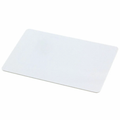
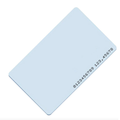
Overview
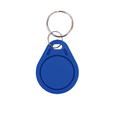
This 13.56MHz RFID key fob is a compact, durable access token based on the NXP MIFARE Classic S50 (1K) chip — the most widely supported HF card type in hobby electronics and commercial access control. Hang it on a keyring, tap it against a reader, and your code sees a unique 4-byte UID in milliseconds.
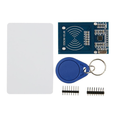
It works out of the box with any ISO/IEC 14443A-compatible reader, including the popular RC522, PN532, and MFRC522-based modules used with Arduino, Raspberry Pi, ESP32, and the Pico. The chip holds 1KB of readable/writable memory split into 16 sectors — ideal for UID-based door locks, attendance systems, makerspace entry, and cloneable card experiments.
At a Glance
Specifications
| Parameter | Value |
| Operating Frequency | 13.56 MHz |
| Standard | ISO/IEC 14443 Type A |
| IC Chip | NXP MIFARE Classic S50 (1K) |
| Memory Capacity | 1 KB EEPROM, 16 sectors × 4 blocks × 16 bytes |
| UID | 4 bytes, factory-programmed, unique |
| Data Rate | 106 kbit/s |
| Read Range | Up to ~5 cm (reader dependent) |
| Write Endurance | 100,000 cycles |
| Data Retention | 10+ years |
| Housing | ABS plastic with keyring hole |
| Power | Passive (energy harvested from reader's field) |
| Operating Temperature | -20°C to +55°C |
How to Use
The key fob is passive — there's nothing to wire, solder, or power. Pair it with a 13.56MHz reader module such as an RC522 or PN532, and your microcontroller will see the fob's UID the instant you hold it within a few centimeters of the reader's antenna.
For a typical project: hook up your reader to Arduino/Pi/ESP32, run a library-provided "read UID" example sketch, and tap the fob to the reader. The UID prints to the serial monitor and you can match it against a whitelist of authorized tokens to gate an action — unlock a door, log attendance, trigger a relay, and so on.
MFRC522 (Arduino), mfrc522 (MicroPython), and pi-rc522 (Raspberry Pi) work out of the box.
Frequently Asked Questions
pi-rc522 or mfrc522 Python library, and run a "read UID" example. Tap the fob near the reader's coil and the UID prints to the console.MFRC522 expose MIFARE_Read and MIFARE_Write methods to read and write sector data after authenticating with the correct key.