Overview
The 110 x 136mm 6V 2W Solar Panel is a small, rugged polycrystalline panel designed for DIY solar projects, IoT nodes, and battery-charging applications. The epoxy-coated surface is weather-resistant and survives outdoor mounting, and the pigtail wires (red positive, black negative) make connection to a charge controller straightforward — no soldering to fragile cell tabs required.
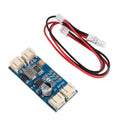
At full sun, the panel delivers roughly 2W: an open-circuit voltage of about 6V and a short-circuit current near 550mA, with the actual maximum power point sitting around 3.6V at ~550mA when properly loaded. That makes it an excellent match for single-cell Li-ion solar chargers like the CN3791 MPPT module, which tracks that optimal operating point and converts it cleanly into 4.2V charge for a 18650 or LiPo cell.
Typical use cases are off-grid sensor nodes, garden monitors, weather stations, wildlife cameras, LoRa endpoints, and anywhere you want a project to run indefinitely without USB cables or manual recharging. Pair it with the CN3791 charger and a single 18650, and you have the foundation for a forever-on outdoor IoT device.
At a Glance
Specifications
| Parameter | Value |
| Rated Power (Pmax) | 2W |
| Open-Circuit Voltage (Voc) | ~6V |
| Max Power Voltage (Vmp) | ~3.6V |
| Short-Circuit Current (Isc) | ~550mA |
| Max Power Current (Imp) | ~550mA |
| Cell Technology | Polycrystalline silicon |
| Surface | Epoxy-coated, weather-resistant |
| Output Wires | Pigtail: red (+) / black (-) |
| Dimensions | 110 x 136 mm |
| Operating Temperature | -20C to +60C |
| Test Condition Reference | STC: 1000 W/m2, 25C, AM1.5 |
| Recommended Charger | CN3791 6V MPPT module |
Pinout Diagram

Wiring Guide
Solar Input
This panel is the input side of a solar power system — it converts sunlight directly into DC electricity. There are only two output wires, and getting polarity right matters because plugging it backwards into a charger can damage the charger's input stage.
| Panel Wire | Polarity | Connects To |
|---|---|---|
| Red | Positive (+) | Charger VIN / solar + input |
| Black | Negative (-) | Charger GND / solar - input |
Battery / Output
The panel itself does not connect directly to a battery — feeding a Li-ion cell directly from a solar panel will overcharge and damage it. Always go through a proper charge controller. The recommended pairing is the CN3791 6V MPPT charger module, which is tuned exactly to this panel's electrical characteristics.
| Stage | Connection |
|---|---|
| Panel red | CN3791 VIN (screw terminal or input JST) |
| Panel black | CN3791 GND (screw terminal or input JST) |
| CN3791 BAT | 1S Li-ion / LiPo + terminal |
| CN3791 GND | 1S Li-ion / LiPo - terminal |
With Microcontrollers
You can read panel voltage directly with a microcontroller ADC for solar-status displays, sun-tracking projects, or efficiency experiments. Because the panel can swing up to 6V open-circuit and most MCU ADCs max out at 3.3V or 5V, use a voltage divider to scale it down safely.
| Component | Connection |
|---|---|
| Panel red | Top of 100k resistor + INA219 VIN+ (if measuring current) |
| Bottom of 100k | Top of second 100k + MCU ADC pin |
| Bottom of second 100k | Panel black / MCU GND |
| (Optional) INA219 SDA / SCL | MCU I2C pins for current measurement |
Sizing & Tips
A 2W panel is in the sweet spot for low-power IoT applications. A few things worth keeping in mind:
- Output drops in clouds / shade: A passing cloud can cut output by 70-90%. Even partial shade across a single cell can take a big chunk out of the panel's output. Plan for cloudy days with adequate battery capacity (3-5 days of autonomy).
- Orientation matters: Face the panel toward the equator (south in the northern hemisphere, north in the southern) and tilt it roughly equal to your latitude for best average daily harvest.
- Heat reduces output: Silicon solar cells lose efficiency as they heat up. Mounting with a small air gap behind the panel helps.
- Use MPPT: Pairing with the CN3791 MPPT charger will harvest significantly more energy than a basic linear charger, especially in low light.
- Daily energy estimate: In good conditions, expect roughly 4-6 Wh per day. Plan your sleep schedule and wake intervals around that budget.
Code Examples
This is a passive power-generating component — there's no digital interface to read with code. The examples below show how to monitor the panel's voltage on a microcontroller ADC (great for solar-status indicators and energy logging), and how to read both voltage AND current with an INA219 if you have one.
All ADC examples assume a 100k / 100k voltage divider from the panel's red wire to GND, with the midpoint feeding the ADC pin. The divider halves the panel voltage so a 6V open-circuit reading shows as 3V at the pin.
Arduino (Panel Voltage Monitor)
// 6V 2W Solar Panel Voltage Monitor - Arduino Uno / Nano
// Wire panel red through 100k/100k divider to A0.

const int PANEL_PIN = A0;
const float VREF = 5.0;          // Uno/Nano ADC reference
const float DIVIDER_RATIO = 2.0; // 100k + 100k -> halves the voltage

void setup() {
  Serial.begin(9600);
  Serial.println("Solar Panel Monitor");
}

void loop() {
  int raw = analogRead(PANEL_PIN);
  float vPin = (raw / 1023.0) * VREF;
  float vPanel = vPin * DIVIDER_RATIO;

  Serial.print("Panel: ");
  Serial.print(vPanel, 2);
  Serial.print(" V");

  if (vPanel > 5.5) {
    Serial.println("  [Full sun]");
  } else if (vPanel > 4.0) {
    Serial.println("  [Partial sun]");
  } else if (vPanel > 2.0) {
    Serial.println("  [Cloudy / shade]");
  } else {
    Serial.println("  [Dark]");
  }

  delay(2000);
}
ESP32 (Panel + Battery Status with WiFi Logging)
// 6V 2W Panel + ESP32 - logs panel voltage to Serial.
// Wire panel red through 100k/100k divider to GPIO34.

const int PANEL_PIN = 34;
const float VREF = 3.3;
const float DIVIDER_RATIO = 2.0;

float readPanelVoltage() {
  uint32_t sum = 0;
  for (int i = 0; i < 32; i++) {
    sum += analogRead(PANEL_PIN);
    delay(2);
  }
  float raw = sum / 32.0;
  float vPin = (raw / 4095.0) * VREF;
  return vPin * DIVIDER_RATIO;
}

void setup() {
  Serial.begin(115200);
  delay(200);
  Serial.println("Solar Logger ready");
}

void loop() {
  float v = readPanelVoltage();
  Serial.printf("Panel: %.2f V\n", v);

  // Estimate generation status
  if (v > 5.0) {
    Serial.println("  Generating strongly");
  } else if (v > 3.0) {
    Serial.println("  Generating - partial light");
  } else {
    Serial.println("  Low / no generation");
  }

  delay(5000);
}
Raspberry Pi Pico + INA219 (Voltage & Current)
# 6V 2W Panel + INA219 + Pico - measures voltage AND current.
# INA219 in series between panel + and charger VIN.
# I2C: SDA = GP0, SCL = GP1

from machine import I2C, Pin
import time

# Minimal INA219 driver (default 0x40 address)
INA219_ADDR = 0x40
REG_CONFIG = 0x00
REG_SHUNTV = 0x01
REG_BUSV = 0x02
REG_CALIB = 0x05

i2c = I2C(0, sda=Pin(0), scl=Pin(1), freq=400000)

def write16(reg, val):
    i2c.writeto_mem(INA219_ADDR, reg, bytes([val >> 8, val & 0xFF]))

def read16(reg):
    data = i2c.readfrom_mem(INA219_ADDR, reg, 2)
    return (data[0] << 8) | data[1]

# Configure for 16V range, 1A max, 0.1 ohm shunt
write16(REG_CONFIG, 0x199F)
write16(REG_CALIB, 4096)

CURRENT_LSB = 0.0001  # 100 uA per bit

while True:
    busv_raw = read16(REG_BUSV) >> 3
    v_bus = busv_raw * 0.004  # 4 mV per bit

    current_raw = read16(0x04)
    if current_raw > 32767:
        current_raw -= 65536
    i_ma = current_raw * CURRENT_LSB * 1000

    power_mw = v_bus * i_ma

    print("Panel: {:.2f} V  {:.0f} mA  {:.0f} mW".format(
        v_bus, i_ma, power_mw))

    time.sleep(2)