

Project Overview
ESP8266 WS2812 Ring Clock: Build an internet-synced desk clock using an ESP8266 D1 Mini and a 24-LED WS2812 NeoPixel ring, with hour, minute, and second “hands” pulled from NTP time.
Three colored pixels orbit the ring: red marks the hour, green the minutes, and blue ticks once per second. With just three solder joints and a WiFi network, you get a clock that stays accurate without manual setting.
- Time: 1 hour
- Skill level: Beginner to Intermediate (three solder joints)
- What you will build: An internet-synced analog clock on a 24-pixel RGB ring.

Parts List
From ShillehTek
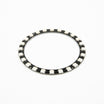
- WS2812 24-Bit RGB LED Ring (90mm) - 24 addressable LEDs for the clock face
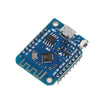
- ESP8266 D1 Mini V3 Dev Board - WiFi-enabled microcontroller to run the clock and sync time over NTP
- Jumper wires and a micro USB cable - wiring and USB power
External
- Soldering iron - to solder the ring’s three pads
- WiFi network - required for NTP time sync
Note: At 50% brightness, a 24-LED ring stays comfortably within a USB port’s current budget. The sketch sets brightness to 128 for this reason.
Step-by-Step Guide
Step 1 - Solder Three Wires
Goal: Connect the WS2812 ring to the ESP8266 D1 Mini.
What to do: Solder three connections from the ring to the D1 Mini:
Ring 5V   -> D1 Mini 5V
Ring GND  -> D1 Mini GND
Ring DIN  -> D1 Mini D5
Expected result: Three solder joints completed and the hardware wiring is done.
Step 2 - Install the Libraries
Goal: Add NeoPixel control and internet time support in the Arduino IDE.
What to do: With ESP8266 board support installed in the Arduino IDE, install the Adafruit_NeoPixel library using Library Manager.
For NTP time, use the TimeClient helper class from the well-known Squix/ThingPulse weather station repository by copying TimeClient.h and TimeClient.cpp beside your sketch. ESP8266WiFi is included with the ESP8266 core.
Expected result: Your sketch compiles far enough that the three includes resolve.
Step 3 - Understand the Clock Logic
Goal: Understand how 60 seconds map onto 24 pixels.
What to do: Because the ring has 24 LEDs, the sketch scales each unit: seconds and minutes divide by 2.5 (60 ÷ 24), and hours multiply by 2 (12 × 2 = 24).
Each second, the code erases the old hand positions, advances time with a seconds to minutes to hours cascade, then redraws blue (seconds), green (minutes), and red (hours). Every 30 minutes it re-syncs with the NTP server so drift does not accumulate.
Expected result: The 24-pixel mapping for seconds, minutes, and hours makes sense before you upload.
Step 4 - Upload the Sketch
Goal: Flash the full clock firmware to the ESP8266.
What to do: Set your WiFi credentials and UTC offset in the code below, then upload it to your D1 Mini.
#include <Adafruit_NeoPixel.h>
#include <ESP8266WiFi.h>
#include "TimeClient.h"

#define PIN D5
long lastUpdate = millis();
long lastSecond = millis();

String hours, minutes, seconds;
int currentSecond, currentMinute, currentHour;

char ssid[] = "xxxxxxx";  // your network SSID
char pass[] = "xxxxxxx";  // your network password

const float UTC_OFFSET = 0; // set your timezone offset
TimeClient timeClient(UTC_OFFSET);

Adafruit_NeoPixel strip = Adafruit_NeoPixel(24, PIN);

void setup()
{
  Serial.begin(115200);
  Serial.println();

  strip.begin();
  strip.setBrightness(128); // 50%
  strip.show();

  Serial.print("Connecting to ");
  Serial.println(ssid);
  WiFi.begin(ssid, pass);

  while (WiFi.status() != WL_CONNECTED) {
    delay(500);
    Serial.print(".");
  }
  Serial.println("");
  Serial.println("WiFi connected");
  Serial.println("IP address: ");
  Serial.println(WiFi.localIP());
  timeClient.updateTime();
  updateTime();
  lastUpdate = millis();
  lastSecond = millis();
}

void loop()
{
  // re-sync with NTP every 30 minutes
  if ((millis() - lastUpdate) > 1800000) updateTime();

  if ((millis() - lastSecond) > 1000)
  {
    // erase old hand positions
    strip.setPixelColor(currentSecond / 2.5, 0, 0, 0);
    strip.setPixelColor(currentMinute / 2.5, 0, 0, 0);
    strip.setPixelColor(currentHour * 2, 0, 0, 0);

    strip.show();
    lastSecond = millis();
    currentSecond++;
    if (currentSecond > 59)
    {
      currentSecond = 0;
      currentMinute++;
      if (currentMinute > 59) {
        currentMinute = 0;
        currentHour++;
        if (currentHour > 12) currentHour = 0;
      }
    }
    String currentTime = String(currentHour) + ':' + String(currentMinute) + ':' + String(currentSecond);
    Serial.println(currentTime);

    // draw the hands: blue seconds, green minutes, red hours
    strip.setPixelColor(currentSecond / 2.5, 0, 0, 255);
    strip.setPixelColor(currentMinute / 2.5, 0, 255, 0);
    strip.setPixelColor(currentHour * 2, 255, 0, 0);
    strip.show();
  }
}

void updateTime()
{
  hours = timeClient.getHours();
  minutes = timeClient.getMinutes();
  seconds = timeClient.getSeconds();
  currentHour = hours.toInt();
  if (currentHour > 12) currentHour = currentHour - 12;
  currentMinute = minutes.toInt();
  currentSecond = seconds.toInt();
  lastUpdate = millis();
}
Expected result: The Serial Monitor shows WiFi connecting, then time strings printing once per second.
Step 5 - Watch It Tick
Goal: Run the NTP-synced NeoPixel clock from USB power.
What to do: Power the D1 Mini from USB. The blue pixel sweeps the ring once a minute, green advances with the minutes, and red jumps every hour (two pixels per hour on a 24-LED face).
If you change ring size, the idea scales by updating the divisors used for seconds and minutes, and the hour mapping.
Expected result: An NTP-accurate WS2812 ring clock glowing on your desk.
Conclusion
You built an ESP8266 and WS2812 NeoPixel ring clock that pulls the current time over NTP and displays hours, minutes, and seconds as colored pixels on a 24-LED face.
Want the exact parts used in this build? Grab them from ShillehTek.com. If you want help customizing this project or building something for your product, check out our IoT consulting services.
Credits: Photos and the original reference guide are credited to Hackster.io. The original guide and code by Mike McRoberts served as the reference for this ShillehTek version.


.png?v=25000753014097803521793581134)

.png?v=68677308723310773341793581134)


