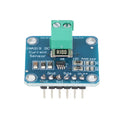
Overview
The WCS1700 is a Hall-effect current sensor module capable of measuring DC and AC currents up to 70 A. The wire being measured passes through a hole in the on-board PCB, so there's no need to break the circuit — clip it through, run your wire, and read the analog voltage. This makes it ideal for monitoring battery banks, motor loads, solar panels, or building overcurrent / inrush detection.
The module has both an analog output (Aout / Vout) that follows the current linearly and a digital output (Dout) driven by an on-board comparator with an adjustable threshold pot. Use the analog output for measurement and logging; use the digital output as a simple "current exceeded threshold" alarm.
It works on 5V supply, has a quiescent (no current) output around VCC/2, and is compatible with any microcontroller that has an ADC — Arduino, ESP32, Raspberry Pi (via an external ADC like the ADS1115), or the Raspberry Pi Pico.
At a Glance
Specifications
| Parameter | Value |
| Sensing Element | WCS1700 Hall-effect current sensor |
| Operating Voltage (VCC) | 5V DC |
| Quiescent Current | ~10 mA |
| Measurable Current | 0 - 70 A (DC), 0 - 50 A RMS (AC) |
| Sensitivity (typical) | 32 mV / A |
| Quiescent Output Voltage | VCC / 2 (~2.5V at 5V supply) |
| Bandwidth | ~10 kHz |
| Isolation | Galvanic (Hall-effect; no electrical contact) |
| Analog Output (Aout) | Linear voltage proportional to current |
| Digital Output (Dout) | LM393 comparator, threshold via on-board pot |
| Indicator LEDs | Power + Threshold-exceeded |
| Wire Hole Diameter | ~5 mm |
Pinout Diagram

Wiring Guide
Arduino Wiring
The Arduino's 10-bit ADC at 5V resolves about 4.9 mV per step — fine for this sensor. The wire you want to measure passes through the hole on the WCS1700 PCB; do not connect it electrically to the module.
| WCS1700 Pin | Arduino Pin |
|---|---|
| VCC | 5V |
| GND | GND |
| Aout | A0 (analog input) |
| Dout | D2 (digital input, optional) |
ESP32 Wiring
The WCS1700's quiescent output is around 2.5V (centered) and swings 32 mV per amp around that. The ESP32 ADC reads up to 3.3V, so you must scale the output down with a divider before connecting it to a GPIO input.
| WCS1700 Pin | ESP32 Pin | Details |
|---|---|---|
| VCC | VIN (5V) | |
| GND | GND | |
| Aout | GPIO 34 (ADC1) | Through 2:1 divider (2x 10k) |
| Dout | GPIO 35 | 3.3V logic; safe direct |
Raspberry Pi Wiring
The Raspberry Pi has no built-in ADC, so you'll need an external ADC such as the ADS1115. Power the WCS1700 from the Pi's 5V rail and feed Aout into one of the ADS1115 channels.
| Connection | Pi Pin |
|---|---|
| WCS1700 VCC | Pin 2 (5V) |
| WCS1700 GND | Pin 6 (GND) |
| WCS1700 Aout | ADS1115 A0 |
| WCS1700 Dout | Pin 11 (GPIO 17) |
| ADS1115 SDA | Pin 3 (GPIO 2) |
| ADS1115 SCL | Pin 5 (GPIO 3) |
Raspberry Pi Pico Wiring
The Pico's 12-bit ADC reads up to 3.3V. As with the ESP32, you'll need a 2:1 divider on the Aout signal so it never exceeds 3.3V at the input pin.
| WCS1700 Pin | Pico Pin | Details |
|---|---|---|
| VCC | VBUS (5V from USB) | |
| GND | GND | |
| Aout | GP26 (ADC0) | Through 2:1 divider |
| Dout | GP15 |
Code Examples
Arduino - Read Current in Amps
// WCS1700 - Read current in amps on Arduino
// Wire the load conductor through the WCS1700 hole.
// Aout to A0, Dout (optional) to D2.

const int aoutPin = A0;
const int doutPin = 2;

const float VREF        = 5.0;     // Arduino ADC reference
const float SENSITIVITY = 0.032;   // ~32 mV per amp
float       offsetVolts = 2.5;     // calibrated below

void calibrateZero() {
  long sum = 0;
  for (int i = 0; i < 200; i++) { sum += analogRead(aoutPin); delay(2); }
  offsetVolts = (sum / 200.0) * VREF / 1023.0;
}

void setup() {
  Serial.begin(9600);
  pinMode(doutPin, INPUT);
  delay(500);
  calibrateZero();
  Serial.print("Zero offset: "); Serial.print(offsetVolts, 3); Serial.println(" V");
}

void loop() {
  int raw = analogRead(aoutPin);
  float volts = raw * VREF / 1023.0;
  float amps  = (volts - offsetVolts) / SENSITIVITY;

  Serial.print("V="); Serial.print(volts, 3);
  Serial.print("V  I="); Serial.print(amps, 2); Serial.print(" A");
  if (digitalRead(doutPin) == LOW) Serial.print("  [ALARM]");
  Serial.println();
  delay(250);
}
ESP32 - Logged Current Reading
// WCS1700 on ESP32 - measure current with a 2:1 divider on Aout
// Aout -> 10k -> GPIO34 -> 10k -> GND

const int  aoutPin     = 34;
const float VREF       = 3.3;       // ADC reference
const float DIVIDER    = 0.5;       // 2:1 voltage divider
const float SENSITIVITY = 0.032;    // V/A
float       offsetVolts = 1.25;     // 2.5V * 0.5 (divided)

void setup() {
  Serial.begin(115200);
  analogReadResolution(12);  // 0 - 4095
  delay(500);

  long sum = 0;
  for (int i = 0; i < 500; i++) { sum += analogRead(aoutPin); delay(2); }
  offsetVolts = (sum / 500.0) * VREF / 4095.0;
}

void loop() {
  int raw = analogRead(aoutPin);
  float vAtPin = raw * VREF / 4095.0;
  float vReal  = vAtPin / DIVIDER;
  float amps   = (vReal - (offsetVolts / DIVIDER)) / SENSITIVITY;

  Serial.printf("Vpin=%.3f  Vreal=%.3f  I=%.2f A\n", vAtPin, vReal, amps);
  delay(250);
}
Raspberry Pi (Python + ADS1115)
#!/usr/bin/env python3
# WCS1700 + ADS1115 on Raspberry Pi
# pip install adafruit-circuitpython-ads1x15

import time
import board, busio
from adafruit_ads1x15.ads1115 import ADS1115
from adafruit_ads1x15.analog_in import AnalogIn

i2c = busio.I2C(board.SCL, board.SDA)
ads = ADS1115(i2c)
ch  = AnalogIn(ads, 0)            # WCS1700 Aout -> A0

SENSITIVITY = 0.032               # V/A

# Auto-zero
samples = [ch.voltage for _ in range(200)]
offset = sum(samples) / len(samples)
print("Zero offset: {:.3f} V".format(offset))

while True:
    v = ch.voltage
    amps = (v - offset) / SENSITIVITY
    print("V={:.3f}  I={:.2f} A".format(v, amps))
    time.sleep(0.25)