Overview
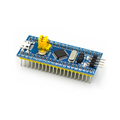
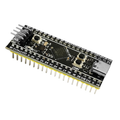
The STM32H723ZGT6 is a high-performance ARM Cortex-M7 microcontroller running up to 550 MHz, packaged in a 144-pin LQFP. This pre-soldered core development board breaks every GPIO out to 0.1" headers so you can prototype directly on a breadboard without doing any fine-pitch soldering yourself.
With 1 MB of flash, 564 KB of SRAM, hardware double-precision FPU, and a generous mix of peripherals (USB, multiple SPI/I2C/UART/CAN, ADC, DAC, timers), the H723 is suitable for motor control, real-time DSP, audio processing, advanced robotics, and any project where the F4-series isn't fast enough. The board can be programmed via ST-LINK V2/V3 over the SWD header.
At a Glance
Specifications
| Parameter | Value |
| MCU | STM32H723ZGT6 |
| Core | ARM Cortex-M7 with FPU (DP) and MPU |
| Max Clock | 550 MHz |
| Flash Memory | 1 MB |
| SRAM | 564 KB total (DTCM, ITCM, AXI SRAM, SRAM1-4) |
| Package | LQFP144 (144-pin) |
| Operating Voltage | 1.62V - 3.6V (3.3V typical) |
| GPIO Logic Level | 3.3V (5V tolerant on FT pins) |
| Communication | 4× SPI, 4× I2C, 5× USART, 2× UART, 2× FDCAN, USB OTG HS/FS |
| ADC | 3× 16-bit ADC (up to 36 channels) |
| DAC | 2× 12-bit DAC |
| Timers | Up to 22 timers (advanced, general-purpose, low-power, basic) |
| Programming Interface | SWD via ST-LINK V2 / V3 |
Pinout Diagram

Wiring Guide
Power Connections
The board accepts a regulated 3.3V supply (or 5V via onboard LDO if your variant has one). Always tie all VSS pins to ground and decouple every VDD pin with a 100 nF ceramic capacitor close to the chip.
| Board Pin | Connect To |
|---|---|
| 3V3 | 3.3V regulated supply |
| GND | Common ground |
| VBAT | 3V coin cell or 3.3V (RTC backup) |
| NRST | Pull high through 10k; tie to button to reset |
| BOOT0 | GND for normal boot, 3.3V for system bootloader |
SWD Programming with ST-LINK V2
Use a 4-wire SWD connection to flash and debug. ST-LINK V2 (or V3) is the standard tool, supported by STM32CubeIDE, OpenOCD, PlatformIO, and Arduino IDE via STM32duino.
| Board Pin | ST-LINK V2 Pin |
|---|---|
| 3V3 | 3.3V (target VCC) |
| SWCLK (PA14) | SWCLK |
| SWDIO (PA13) | SWDIO |
| NRST | RST (optional) |
| GND | GND |
I2C (Example: Sensor on I2C1)
Each I2C peripheral needs external pull-up resistors (4.7kΩ typical) on both SDA and SCL — they are not built into the chip.
| Function | Default Pin | Notes |
|---|---|---|
| I2C1_SCL | PB6 | 4.7k pull-up to 3.3V |
| I2C1_SDA | PB7 | 4.7k pull-up to 3.3V |
SPI (Example: SPI1)
SPI1 default pins map to a common header layout. Use any free GPIO for CS / NSS — software-controlled chip select is generally easier for multiple devices.
| Function | Default Pin |
|---|---|
| SPI1_SCK | PA5 |
| SPI1_MISO | PA6 |
| SPI1_MOSI | PA7 |
| NSS / CS | PA4 (or any GPIO) |
UART (Example: USART1)
USART1 is the typical "console" UART, mapped to PA9 / PA10. Use a USB-to-TTL converter to bridge to a PC serial monitor.
| Function | Default Pin | USB-TTL |
|---|---|---|
| USART1_TX | PA9 | RX |
| USART1_RX | PA10 | TX |
| GND | GND | GND |
Code Examples
Arduino IDE (STM32duino) — Blink
// STM32H723ZGT6 - Blink built-in or external LED
// Board: "Generic STM32H7 Series", Variant: STM32H723ZGTx
// Upload Method: STM32CubeProgrammer (SWD)

#define LED_PIN PB0   // change to your wired LED pin

void setup() {
  pinMode(LED_PIN, OUTPUT);
}

void loop() {
  digitalWrite(LED_PIN, HIGH);
  delay(500);
  digitalWrite(LED_PIN, LOW);
  delay(500);
}
STM32CubeIDE (HAL) — UART Hello World
// Generated with STM32CubeMX. After init code:

#include "main.h"
#include <string.h>

UART_HandleTypeDef huart1;

int main(void) {
  HAL_Init();
  SystemClock_Config();
  MX_GPIO_Init();
  MX_USART1_UART_Init();

  const char *msg = "Hello from STM32H723!\r\n";

  while (1) {
    HAL_UART_Transmit(&huart1, (uint8_t*)msg, strlen(msg), 100);
    HAL_Delay(1000);
  }
}
PlatformIO — Project Config
; PlatformIO config for STM32H723ZGT6
[env:stm32h723zg]
platform = ststm32
board = genericSTM32H723ZG
framework = arduino
upload_protocol = stlink
debug_tool = stlink
monitor_speed = 115200