Overview
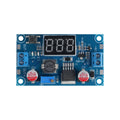
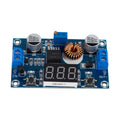
The MT3608 is a tiny step-up DC-DC boost converter that takes a low input voltage (2V to 24V) and boosts it up to a higher output (up to 28V), with up to 2A of output current. Use it to run a 5V Arduino from a single 3.7V LiPo battery, drive 12V LED strips from a 5V USB power bank, or power 9V devices from 4 AA batteries — anywhere your input voltage is lower than what your load needs.
The on-board trim potentiometer lets you set the output voltage from input voltage up to 28V. Turn it clockwise to increase output, counter-clockwise to decrease. The MT3608 chip itself runs at 1.2 MHz switching frequency, so the inductor and capacitors stay small — the entire board is about 36 × 17 mm.
Efficiency is typically 93% at moderate loads. With 2A output capability, it's well-suited for portable battery-powered projects, robotics, and bench supply augmentation. The four corner pads are VOUT+, VOUT-, VIN+, VIN- — solder wires or use as breadboard pins.
At a Glance
Specifications
| Parameter | Value |
| Topology | Step-up (boost) DC-DC converter |
| Chip | MT3608 |
| Input Voltage | 2V to 24V DC |
| Output Voltage | Adjustable from V_in up to 28V |
| Output Current | Up to 2A (depends on input voltage) |
| Switching Frequency | 1.2 MHz (fixed) |
| Efficiency | ~93% typical |
| Adjustment | Multi-turn trim potentiometer |
| Output Ripple | ~50 mV typical |
| Operating Temperature | -40°C to +85°C |
| Pin Count | 4 (VIN+, VIN-, VOUT+, VOUT-) |
| Dimensions | ~36 × 17 × 14 mm |
Pinout Diagram

Wiring Guide
Setting Output Voltage (Critical First Step)
Always set the output voltage BEFORE connecting your load — connecting an unknown output to a load can fry it. Use a multimeter and a non-conductive (ceramic or plastic) screwdriver.
| Step | Action |
|---|---|
| 1 | Connect VIN+ and VIN- to your source (battery, USB, etc.) |
| 2 | Leave VOUT+ and VOUT- disconnected (no load) |
| 3 | Set multimeter to DC volts, probe + to VOUT+, − to VOUT- |
| 4 | Slowly turn the trim pot until you read the desired output voltage |
| 5 | Disconnect input, then wire your load to VOUT+ and VOUT- |
Boosting a 3.7V LiPo to 5V
Common use case: power a 5V device from a 3.7V LiPo battery. Set the trim pot to output 5.0V, then wire the battery to VIN and your device to VOUT.
| From / To | Connection |
|---|---|
| 3.7V LiPo (+) | VIN+ |
| 3.7V LiPo (-) | VIN- |
| VOUT+ (5V) | 5V input of your device |
| VOUT- | GND of your device |
Powering an Arduino from 9V
Boost 4xAA batteries (~6V) to 9V to feed Arduino's barrel jack (which expects 7-12V).
| From / To | Connection |
|---|---|
| 4xAA pack (+) | VIN+ |
| 4xAA pack (-) | VIN- |
| VOUT+ (set to 9V) | Arduino VIN pin (or center pin of barrel jack) |
| VOUT- | Arduino GND |
Code Examples
The MT3608 is a passive power-conversion module — no microcontroller code is needed. Configure the output voltage with the trim pot once, and the converter just does its job.
Sizing Calculations
Power balance for a boost converter (assuming 90% efficiency):

  V_in × I_in × 0.9 = V_out × I_out

Solve for input current:

  I_in = (V_out × I_out) / (V_in × 0.9)

Examples:
  3.7V LiPo → 5V at 1A:  I_in = 5 × 1 / (3.7 × 0.9) = ~1.5A from battery
  3.7V LiPo → 12V at 0.5A: I_in = 12 × 0.5 / (3.7 × 0.9) = ~1.8A
  6V (4xAA) → 9V at 0.5A: I_in = 9 × 0.5 / (6 × 0.9) = ~0.83A

Always size your input source for the calculated input current.