Overview
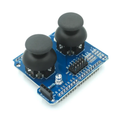
The KY-023 is a dual-axis analog joystick module — basically the same thumbstick mechanism used in PlayStation controllers, broken out onto a small breadboard-friendly PCB. It gives you two independent potentiometers (X and Y axes) plus a momentary push-button switch under the stick, so a single module covers everything from cursor control and motor steering to menu navigation and game controllers.
The two axes output an analog voltage between GND and Vcc that maps directly to the stick's position, so any microcontroller with an ADC can read it. The switch (SW) is just a normally-open contact to ground when you press straight down on the stick — handy for "select" or "fire" actions.
It works with both 3.3V and 5V systems, draws almost no current (it's just a passive divider plus a button), and is the go-to part for robot control, PTZ camera rigs, retro game projects, and any UI that needs an analog input.
At a Glance
Specifications
| Parameter | Value |
| Module Type | KY-023 PS2-style dual-axis analog joystick |
| Operating Voltage | 3.3V - 5V DC |
| Operating Current | < 5 mA (passive resistive divider) |
| X / Y Axis Output | Analog 0V - Vcc, ~Vcc/2 at center |
| Switch (SW) | Momentary push-button, normally open, to GND when pressed |
| Internal Resistance | ~10 k-ohm per axis potentiometer |
| Pin Count | 5 (GND, +5V, VRX, VRY, SW) |
| Mounting | 4 x M3 holes |
| Operating Temperature | -10 degC to +70 degC |
| Dimensions | ~40 x 27 mm |
Pinout Diagram

Wiring Guide
Arduino Wiring
VRX and VRY go to any two analog inputs (A0 - A5 on UNO/Nano). SW is a digital pull-up input — enable INPUT_PULLUP in code so you don't need an external resistor.
| KY-023 Pin | Arduino Pin |
|---|---|
| GND | GND |
| +5V | 5V |
| VRX | A0 |
| VRY | A1 |
| SW | D2 (with INPUT_PULLUP) |
ESP32 Wiring
Power from 3.3V (do NOT use 5V into a 3.3V ADC). Use any two ADC1 channels for the axes — ADC2 is shared with Wi-Fi and may give bad readings when Wi-Fi is active.
| KY-023 Pin | ESP32 Pin |
|---|---|
| GND | GND |
| +5V | 3V3 |
| VRX | GPIO 34 (ADC1_CH6) |
| VRY | GPIO 35 (ADC1_CH7) |
| SW | GPIO 32 (with INPUT_PULLUP) |
Raspberry Pi Wiring
The Pi has no built-in ADC, so you need an external chip such as the MCP3008 (10-bit SPI ADC) to read VRX and VRY. SW can connect directly to a GPIO with internal pull-up.
| KY-023 Pin | Raspberry Pi Pin |
|---|---|
| GND | Pin 6 (GND) |
| +5V | Pin 1 (3.3V) - power MCP3008 from same rail |
| VRX | MCP3008 CH0 |
| VRY | MCP3008 CH1 |
| SW | Pin 11 (GPIO 17, internal pull-up) |
gpiozero library has a built-in MCP3008 class that returns axis values as 0.0 - 1.0 floats — much easier than raw SPI.
Raspberry Pi Pico Wiring
The Pico has three usable ADC inputs: GP26, GP27, and GP28. Power the joystick from 3V3(OUT) — never from VBUS.
| KY-023 Pin | Pico Pin |
|---|---|
| GND | GND |
| +5V | 3V3 (OUT) |
| VRX | GP26 (ADC0) |
| VRY | GP27 (ADC1) |
| SW | GP15 (with internal pull-up) |
Code Examples
Arduino - Read X, Y and Button
// KY-023 joystick on Arduino
// VRX -> A0, VRY -> A1, SW -> D2, +5V, GND

const int xPin = A0;
const int yPin = A1;
const int swPin = 2;

void setup() {
  pinMode(swPin, INPUT_PULLUP);
  Serial.begin(9600);
}

void loop() {
  int x = analogRead(xPin);     // 0 - 1023
  int y = analogRead(yPin);     // 0 - 1023
  int sw = digitalRead(swPin);  // 0 = pressed

  Serial.print("X: "); Serial.print(x);
  Serial.print(" Y: "); Serial.print(y);
  Serial.print(" SW: "); Serial.println(sw == LOW ? "PRESSED" : "released");

  delay(100);
}
Arduino - Direction with Deadzone
// Convert joystick to discrete directions with a center deadzone

const int xPin = A0;
const int yPin = A1;
const int center = 512;
const int deadzone = 80;

void setup() { Serial.begin(9600); }

void loop() {
  int x = analogRead(xPin) - center;
  int y = analogRead(yPin) - center;

  if (abs(x) < deadzone && abs(y) < deadzone) {
    Serial.println("CENTER");
  } else if (abs(x) > abs(y)) {
    Serial.println(x > 0 ? "RIGHT" : "LEFT");
  } else {
    Serial.println(y > 0 ? "DOWN" : "UP");
  }
  delay(150);
}
Raspberry Pi Pico - MicroPython
# KY-023 on Raspberry Pi Pico (MicroPython)
# VRX -> GP26, VRY -> GP27, SW -> GP15, +5V -> 3V3, GND -> GND

from machine import ADC, Pin
import time

x_axis = ADC(Pin(26))
y_axis = ADC(Pin(27))
sw     = Pin(15, Pin.IN, Pin.PULL_UP)

while True:
    # 16-bit values (0 - 65535)
    x = x_axis.read_u16()
    y = y_axis.read_u16()
    btn = "PRESSED" if sw.value() == 0 else "released"
    print("X:", x, " Y:", y, " SW:", btn)
    time.sleep(0.1)
Raspberry Pi (Python with gpiozero + MCP3008)
#!/usr/bin/env python3
# KY-023 on Raspberry Pi via MCP3008 ADC
# pip install gpiozero

from gpiozero import MCP3008, Button
import time

x_axis = MCP3008(channel=0)   # 0.0 - 1.0
y_axis = MCP3008(channel=1)
button = Button(17)           # GPIO 17

while True:
    x = x_axis.value
    y = y_axis.value
    pressed = button.is_pressed
    print(f"X: {x:.2f}  Y: {y:.2f}  SW: {'PRESSED' if pressed else 'released'}")
    time.sleep(0.1)
Frequently Asked Questions
value to 1023 - value.INPUT_PULLUP / Pin.PULL_UP, or add an external 10 k-ohm resistor between SW and Vcc. With pull-up enabled, "released" reads HIGH and "pressed" reads LOW.Joystick library and CircuitPython's usb_hid module both make this straightforward.