Overview
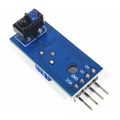
The IR Infrared Obstacle Avoidance Sensor is the cheapest, simplest way to give a robot or machine a "is there something in front of me?" reflex. It pairs an IR LED that constantly emits modulated light with a matched IR receiver and a comparator IC. When an object comes close enough to reflect IR back into the receiver, the digital output (OUT) flips from HIGH to LOW.
The detection distance is adjustable from about 2 cm to 30 cm via the on-board trim pot — perfect for small robots that need to back up before hitting a wall, conveyor systems that detect a part arrival, an "object placed on stand" trigger, or contactless button replacements.
Output is purely digital — there's no analog reading of distance, just a yes/no. That makes it dead simple to wire (one GPIO is enough) and works on Arduino, ESP32, Raspberry Pi, or Pico without any libraries.
At a Glance
Specifications
| Parameter | Value |
| Sensor Type | Active IR reflective (LED emitter + IR receiver) |
| Operating Voltage | 3.3V - 5V DC |
| Operating Current | ~20 mA |
| IR Wavelength | ~940 nm |
| Detection Range | 2 cm - 30 cm (adjustable via trim pot) |
| Detection Angle | ~35 degrees |
| Output Type | Digital (active LOW when obstacle detected) |
| Output LED | On-board indicator (lights when triggered) |
| Comparator | LM393 with on-board trim pot |
| Operating Temperature | -25 degC to +85 degC |
| Mounting Holes | 2 x M3 |
| Dimensions | ~46 x 16 mm |
Pinout Diagram

Wiring Guide
Arduino Wiring
Three wires, one digital pin. Read the OUT pin with digitalRead() — it goes LOW when an obstacle is detected within the threshold distance you set with the trim pot.
| Sensor Pin | Arduino Pin |
|---|---|
| VCC | 5V |
| GND | GND |
| OUT | Digital Pin 2 |
ESP32 Wiring
Power from 3.3V or VIN (5V). Output is 3.3V-friendly when the sensor is powered at 3.3V.
| Sensor Pin | ESP32 Pin |
|---|---|
| VCC | 3V3 |
| GND | GND |
| OUT | GPIO 5 |
Raspberry Pi Wiring
Power from the Pi's 3.3V rail to keep the OUT signal safe for the 3.3V-only Pi GPIO.
| Sensor Pin | Raspberry Pi Pin |
|---|---|
| VCC | Pin 1 (3.3V) |
| GND | Pin 6 (GND) |
| OUT | Pin 11 (GPIO 17) |
Raspberry Pi Pico Wiring
Power at 3.3V keeps the digital output safe for the Pico's 3.3V GPIO.
| Sensor Pin | Pico Pin |
|---|---|
| VCC | 3V3 (OUT) |
| GND | GND |
| OUT | GP15 |
Code Examples
Arduino - Read Obstacle State
// IR Obstacle Sensor - print obstacle status on Arduino
// Wire VCC=5V, GND=GND, OUT=D2

const int sensorPin = 2;

void setup() {
  Serial.begin(9600);
  pinMode(sensorPin, INPUT);
}

void loop() {
  int state = digitalRead(sensorPin);
  if (state == LOW) {
    Serial.println("Obstacle detected!");
  } else {
    Serial.println("Path clear");
  }
  delay(100);
}
Arduino - Robot Stops Before Hitting Wall
// Front-mounted IR obstacle sensor stops the robot when something is close
// OUT to D2; motor enable pins go to your motor driver

const int sensorPin = 2;
const int motorL = 9;
const int motorR = 10;
const int speed = 180;

void setup() {
  pinMode(sensorPin, INPUT);
  pinMode(motorL, OUTPUT);
  pinMode(motorR, OUTPUT);
}

void loop() {
  if (digitalRead(sensorPin) == LOW) {
    analogWrite(motorL, 0);
    analogWrite(motorR, 0);
    delay(500);                  // pause
  } else {
    analogWrite(motorL, speed);
    analogWrite(motorR, speed);
  }
}
Raspberry Pi (Python)
#!/usr/bin/env python3
# IR Obstacle Sensor on Raspberry Pi - print state and trigger an action

import RPi.GPIO as GPIO
import time

PIN = 17
GPIO.setmode(GPIO.BCM)
GPIO.setup(PIN, GPIO.IN)

try:
    while True:
        if GPIO.input(PIN) == 0:
            print("Obstacle detected!")
        else:
            print("Path clear")
        time.sleep(0.1)
except KeyboardInterrupt:
    GPIO.cleanup()
Raspberry Pi Pico - MicroPython
# IR Obstacle Sensor on Raspberry Pi Pico (MicroPython)

from machine import Pin
import time

sensor = Pin(15, Pin.IN)

while True:
    if sensor.value() == 0:
        print("Obstacle detected!")
    else:
        print("Path clear")
    time.sleep(0.1)