Overview
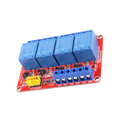
The ShillehTek 4-Channel 5V Relay Module lets your microcontroller switch up to four independent loads — lights, fans, pumps, solenoids, AC appliances, motors, or DC devices — from a few GPIO pins. Each channel uses an SRD-05VDC-SL-C electromechanical relay rated up to 10A at 250VAC or 30VDC, with COM, NO (normally open), and NC (normally closed) screw terminals so you can wire either fail-safe or fail-on circuits.
Each relay coil runs on 5V, so the whole board can be powered directly from the same 5V rail that drives a typical Arduino, ESP32 dev board, or Raspberry Pi 5V pin (with current headroom). An on-board optoisolator separates the MCU side from the relay coil side, protecting your Arduino, ESP32, Raspberry Pi, or Pico from coil back-EMF and ground noise. Inputs are active LOW by default — driving an IN pin LOW energizes the corresponding relay coil and switches the COM contact from NC to NO.
The board exposes a header for GND, IN1-IN4, and VCC, plus a JD-VCC / VCC jumper that lets you split the logic power from the relay coil power for full electrical isolation when needed.
At a Glance
Specifications
| Parameter | Value |
| Number of Channels | 4 |
| Relay Part Number | SRD-05VDC-SL-C |
| Relay Coil Voltage | 5V DC |
| Coil Current (per relay, energized) | ~70 mA |
| Coil Current (all relays on) | ~280 mA |
| Trigger Logic | Active LOW (LOW = relay ON) |
| Trigger Voltage | 3.3V or 5V logic-compatible |
| Maximum AC Switching | 10A @ 250VAC |
| Maximum DC Switching | 10A @ 30VDC |
| Isolation | Optocoupler on each input |
| Status Indicator | Per-channel LED + power LED |
| Output Terminals | Per channel: COM, NO, NC (screw terminals) |
Pinout Diagram

Wiring Guide
Arduino Wiring
Wire VCC and GND to power the board, then drive each IN pin from any digital output. Inputs are active LOW — write LOW to energize the relay, HIGH to release it.
| Module Pin | Arduino Pin | Details |
|---|---|---|
| VCC | 5V | Powers logic and relay coils together |
| GND | GND | Common ground with Arduino |
| IN1 | Digital Pin 7 | Active LOW |
| IN2 | Digital Pin 8 | Active LOW |
| IN3 | Digital Pin 9 | Active LOW |
| IN4 | Digital Pin 10 | Active LOW |
ESP32 Wiring
The ESP32's 3.3V GPIO is enough to drive the optoisolated inputs reliably. Active-LOW means a 3.3V HIGH releases the relay and a 0V LOW energizes it.
| Module Pin | ESP32 Pin | Details |
|---|---|---|
| VCC | VIN / 5V | Use external 5V if many relays will be on at once |
| GND | GND | Common ground with ESP32 |
| IN1 | GPIO 5 | Active LOW (3.3V OK) |
| IN2 | GPIO 18 | Active LOW (3.3V OK) |
| IN3 | GPIO 19 | Active LOW (3.3V OK) |
| IN4 | GPIO 21 | Active LOW (3.3V OK) |
Raspberry Pi Wiring
Raspberry Pi 3.3V GPIO drives the optoisolator inputs without any level shifter. Use BCM pin numbers in your Python code to match the GPIO numbers below.
| Module Pin | Raspberry Pi Pin | Details |
|---|---|---|
| VCC | Pin 2 (5V) or external 5V | External 5V recommended to avoid Pi brownout |
| GND | Pin 6 (GND) | Common ground with Pi |
| IN1 | GPIO 17 | Active LOW (3.3V OK) |
| IN2 | GPIO 27 | Active LOW (3.3V OK) |
| IN3 | GPIO 22 | Active LOW (3.3V OK) |
| IN4 | GPIO 23 | Active LOW (3.3V OK) |
Raspberry Pi Pico Wiring
Pico GPIO is 3.3V and works fine with the optoisolated inputs. Active-LOW logic — set the GP pin to 0 to energize a relay.
| Module Pin | Pico Pin | Details |
|---|---|---|
| VCC | VBUS (5V) or external 5V | External 5V recommended for multiple relays |
| GND | GND | Common ground with Pico |
| IN1 | GP2 | Active LOW (3.3V OK) |
| IN2 | GP3 | Active LOW (3.3V OK) |
| IN3 | GP4 | Active LOW (3.3V OK) |
| IN4 | GP5 | Active LOW (3.3V OK) |
Pin(n, Pin.OUT, value=1) so the line starts HIGH (relay OFF). Otherwise the pin will momentarily glitch LOW during boot and click the relay on.
Code Examples
Arduino
// 4-Channel 5V Relay Module - Arduino Example
// Active LOW: digitalWrite(pin, LOW) energizes the relay.
// IN pins: 7, 8, 9, 10

void setup() {
  Serial.begin(9600);
  pinMode(7, OUTPUT);
  digitalWrite(7, HIGH);  // start with relay OFF
  pinMode(8, OUTPUT);
  digitalWrite(8, HIGH);  // start with relay OFF
  pinMode(9, OUTPUT);
  digitalWrite(9, HIGH);  // start with relay OFF
  pinMode(10, OUTPUT);
  digitalWrite(10, HIGH);  // start with relay OFF
}

void loop() {
  // Cycle through each relay one by one
  digitalWrite(7, LOW);   // Relay 1 ON
  delay(500);
  digitalWrite(7, HIGH);  // Relay 1 OFF
  delay(500);
  digitalWrite(8, LOW);   // Relay 2 ON
  delay(500);
  digitalWrite(8, HIGH);  // Relay 2 OFF
  delay(500);
  digitalWrite(9, LOW);   // Relay 3 ON
  delay(500);
  digitalWrite(9, HIGH);  // Relay 3 OFF
  delay(500);
  digitalWrite(10, LOW);   // Relay 4 ON
  delay(500);
  digitalWrite(10, HIGH);  // Relay 4 OFF
  delay(500);
}
ESP32 (Arduino Core)
// 4-Channel 5V Relay Module - ESP32 Arduino Example
// IN pins: GPIO 5, 18, 19, 21
// Active LOW logic.

void setup() {
  Serial.begin(115200);
  pinMode(5, OUTPUT);
  digitalWrite(5, HIGH);  // start OFF
  pinMode(18, OUTPUT);
  digitalWrite(18, HIGH);  // start OFF
  pinMode(19, OUTPUT);
  digitalWrite(19, HIGH);  // start OFF
  pinMode(21, OUTPUT);
  digitalWrite(21, HIGH);  // start OFF
}

void loop() {
  digitalWrite(5, LOW);   // Relay 1 ON
  delay(500);
  digitalWrite(5, HIGH);  // Relay 1 OFF
  delay(500);
  digitalWrite(18, LOW);   // Relay 2 ON
  delay(500);
  digitalWrite(18, HIGH);  // Relay 2 OFF
  delay(500);
  digitalWrite(19, LOW);   // Relay 3 ON
  delay(500);
  digitalWrite(19, HIGH);  // Relay 3 OFF
  delay(500);
  digitalWrite(21, LOW);   // Relay 4 ON
  delay(500);
  digitalWrite(21, HIGH);  // Relay 4 OFF
  delay(500);
}
Raspberry Pi (Python)
#!/usr/bin/env python3
# 4-Channel 5V Relay Module - Raspberry Pi Example
# IN pins: GPIO 17, 27, 22, 23 (BCM)
# Active LOW logic.

import RPi.GPIO as GPIO
import time

PINS = [17, 27, 22, 23]

GPIO.setmode(GPIO.BCM)
for p in PINS:
    GPIO.setup(p, GPIO.OUT, initial=GPIO.HIGH)  # start OFF

try:
    while True:
        GPIO.output(17, GPIO.LOW)   # Relay 1 ON
        time.sleep(0.5)
        GPIO.output(17, GPIO.HIGH)  # Relay 1 OFF
        time.sleep(0.5)
        GPIO.output(27, GPIO.LOW)   # Relay 2 ON
        time.sleep(0.5)
        GPIO.output(27, GPIO.HIGH)  # Relay 2 OFF
        time.sleep(0.5)
        GPIO.output(22, GPIO.LOW)   # Relay 3 ON
        time.sleep(0.5)
        GPIO.output(22, GPIO.HIGH)  # Relay 3 OFF
        time.sleep(0.5)
        GPIO.output(23, GPIO.LOW)   # Relay 4 ON
        time.sleep(0.5)
        GPIO.output(23, GPIO.HIGH)  # Relay 4 OFF
        time.sleep(0.5)
except KeyboardInterrupt:
    print("Stopped by user")
finally:
    for p in PINS:
        GPIO.output(p, GPIO.HIGH)  # ensure OFF
    GPIO.cleanup()
Raspberry Pi Pico (MicroPython)
# 4-Channel 5V Relay Module - Pico MicroPython Example
# IN pins: GP2, GP3, GP4, GP5
# Active LOW logic.

from machine import Pin
from time import sleep

relay1 = Pin(2, Pin.OUT, value=1)  # start OFF (HIGH)
relay2 = Pin(3, Pin.OUT, value=1)  # start OFF (HIGH)
relay3 = Pin(4, Pin.OUT, value=1)  # start OFF (HIGH)
relay4 = Pin(5, Pin.OUT, value=1)  # start OFF (HIGH)

try:
    while True:
        relay1.value(0)  # Relay 1 ON
        sleep(0.5)
        relay1.value(1)  # Relay 1 OFF
        sleep(0.5)
        relay2.value(0)  # Relay 2 ON
        sleep(0.5)
        relay2.value(1)  # Relay 2 OFF
        sleep(0.5)
        relay3.value(0)  # Relay 3 ON
        sleep(0.5)
        relay3.value(1)  # Relay 3 OFF
        sleep(0.5)
        relay4.value(0)  # Relay 4 ON
        sleep(0.5)
        relay4.value(1)  # Relay 4 OFF
        sleep(0.5)
except KeyboardInterrupt:
    print("Stopped by user")
Frequently Asked Questions
digitalWrite(pin, HIGH); pinMode(pin, OUTPUT);). On Pico use Pin(n, Pin.OUT, value=1) in one shot. On the Pi, set GPIO.setup(pin, GPIO.OUT, initial=GPIO.HIGH).