Overview
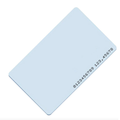
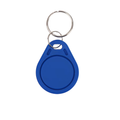
This 125kHz RFID tag uses the HT4168 chip — an EM4100-compatible low-frequency (LF) token that works with every RDM6300, EM4100-compatible, or generic 125kHz reader on the market. It's a simple, read-only access token designed for door entry, attendance, and basic identification systems.
Clip it to a keychain, tap it near a 125kHz reader connected to an Arduino, Raspberry Pi, ESP32, or Pico, and the reader instantly reports the tag's factory-programmed unique ID. There's no memory to read or write — just a UID — which is exactly what you want for fast, no-frills access control.
At a Glance
Protocol
EM4100 Compatible
UID Length
5 Bytes (40-bit)
Form Factor
Keychain Token
Specifications
| Parameter |
Value |
| Operating Frequency |
125 kHz |
| Protocol |
EM4100 (ASK modulation, Manchester encoded) |
| IC Chip |
HT4168 (EM4100 compatible) |
| UID |
5 bytes (40-bit), factory-programmed, unique |
| Read/Write |
Read-only |
| Data Rate |
~2 kbit/s |
| Read Range |
Up to ~5 cm (reader dependent) |
| Housing |
ABS plastic with keyring hole |
| Data Retention |
10+ years |
| Power |
Passive (energy harvested from reader's field) |
| Operating Temperature |
-20°C to +55°C |
How to Use
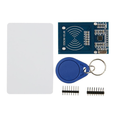
The tag is entirely passive — no batteries, no wiring, no setup. Pair it with any 125kHz reader module such as the RDM6300 (UART output) or a generic EM4100-compatible reader, hook the reader to your microcontroller, and wait for the UID to arrive when the tag gets close enough to the reader's coil.
For a door-entry project: connect the reader to Arduino/Pi/ESP32, run the reader's example sketch, and tap the tag near the antenna. The 10-character hex UID prints to serial output. Store authorized UIDs in a whitelist in your code and use the match to trigger a relay or electric lock.
Tip: The RDM6300 emits each UID over a plain serial UART at 9600 baud, so it works out of the box with a microcontroller's hardware serial port or any software serial library. No SPI, no I2C, no libraries required.
Works with: RDM6300, EM-18, and any 125kHz reader compatible with EM4100 tags. Also compatible with most commercial 125kHz door-entry systems that accept EM-format credentials.
Not compatible with 13.56MHz readers: RC522, PN532, and other HF readers will NOT see this tag. 125kHz LF and 13.56MHz HF are entirely separate technologies — frequency, protocol, encoding, and antenna design are all different.
Frequently Asked Questions
What reader should I use with this tag?
The RDM6300 is the most common hobby choice — cheap, simple, UART output. For smaller projects, the EM-18 is another popular 125kHz option. Any reader marked "EM4100" or "125kHz" will read this tag.
Can I change or rewrite the UID?
No. HT4168/EM4100 tags are strictly read-only with a UID programmed at the factory. If you need rewritable 125kHz tokens, look for T5577 or EM4305 chips — a separate product line used for cloning and re-programming.
Does my phone's NFC reader work with this?
No. Phones use 13.56MHz NFC, not 125kHz LF. This tag is invisible to standard phone NFC. You'll need a dedicated 125kHz reader.
What's the read range like?
Typically 2–5 cm, depending on the reader's antenna size and tuning. Larger antennas reach further (up to ~10 cm), but LF RFID is inherently short-range by design.
How do I know if my access control system accepts these?
If the spec sheet or the cards already in use mention "EM4100," "EM-format," "125kHz proximity," or "HID ProxII compatible" (most of these systems accept generic EM cards), this tag will almost certainly work.
What's the difference between this and 13.56MHz tags?
125kHz (LF) is older, simpler, and usually read-only — cheap, reliable, short range, no memory beyond the UID. 13.56MHz (HF / MIFARE) is faster, holds more memory, and is used for both access control and contactless payments. Pick based on which frequency your reader supports.
Related Tutorials